Troubleshoot BGP flapping EVPN fabrics by separating the underlay BGP from the overlay BGP first, because the symptoms look identical at the CLI.
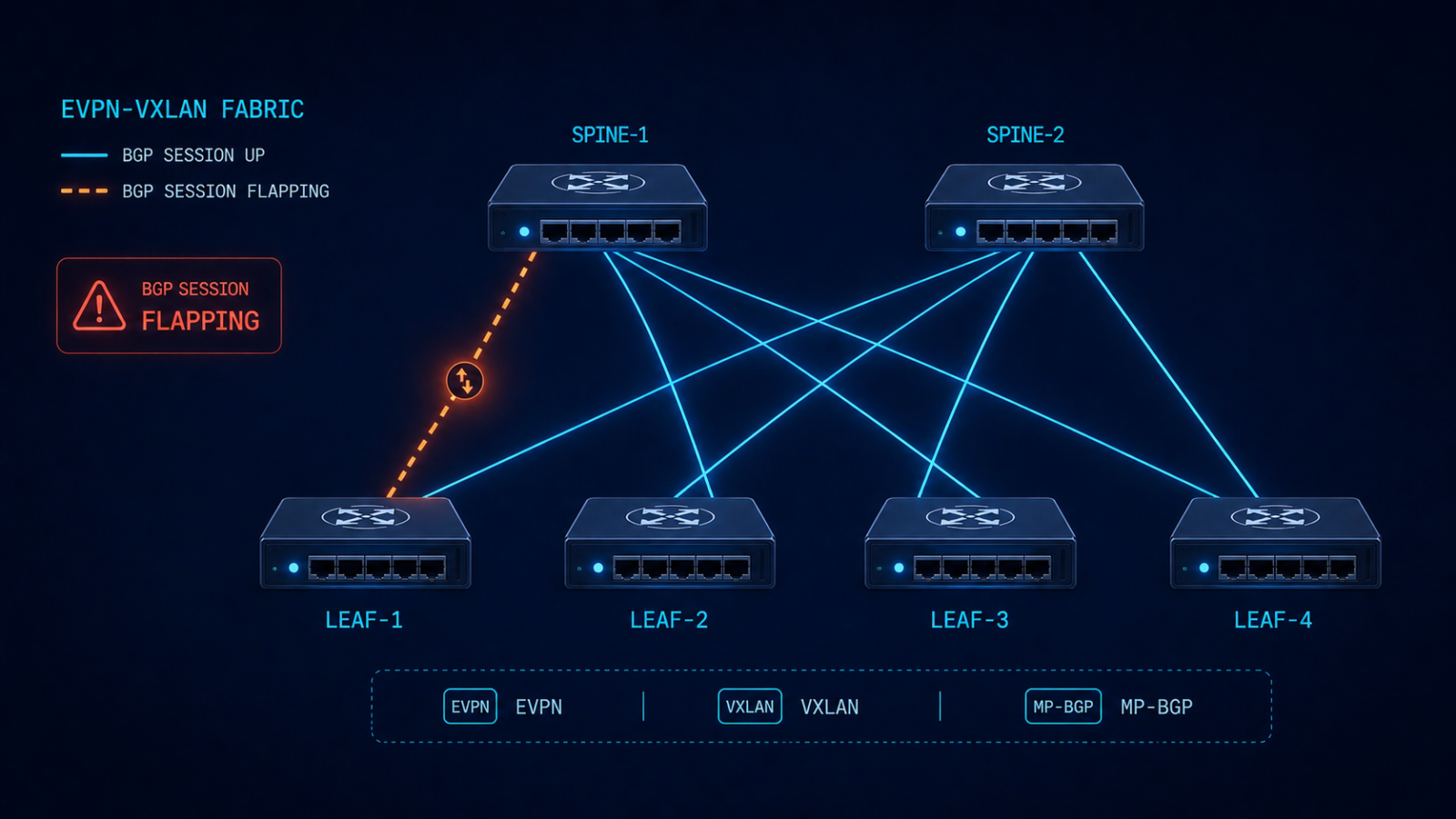
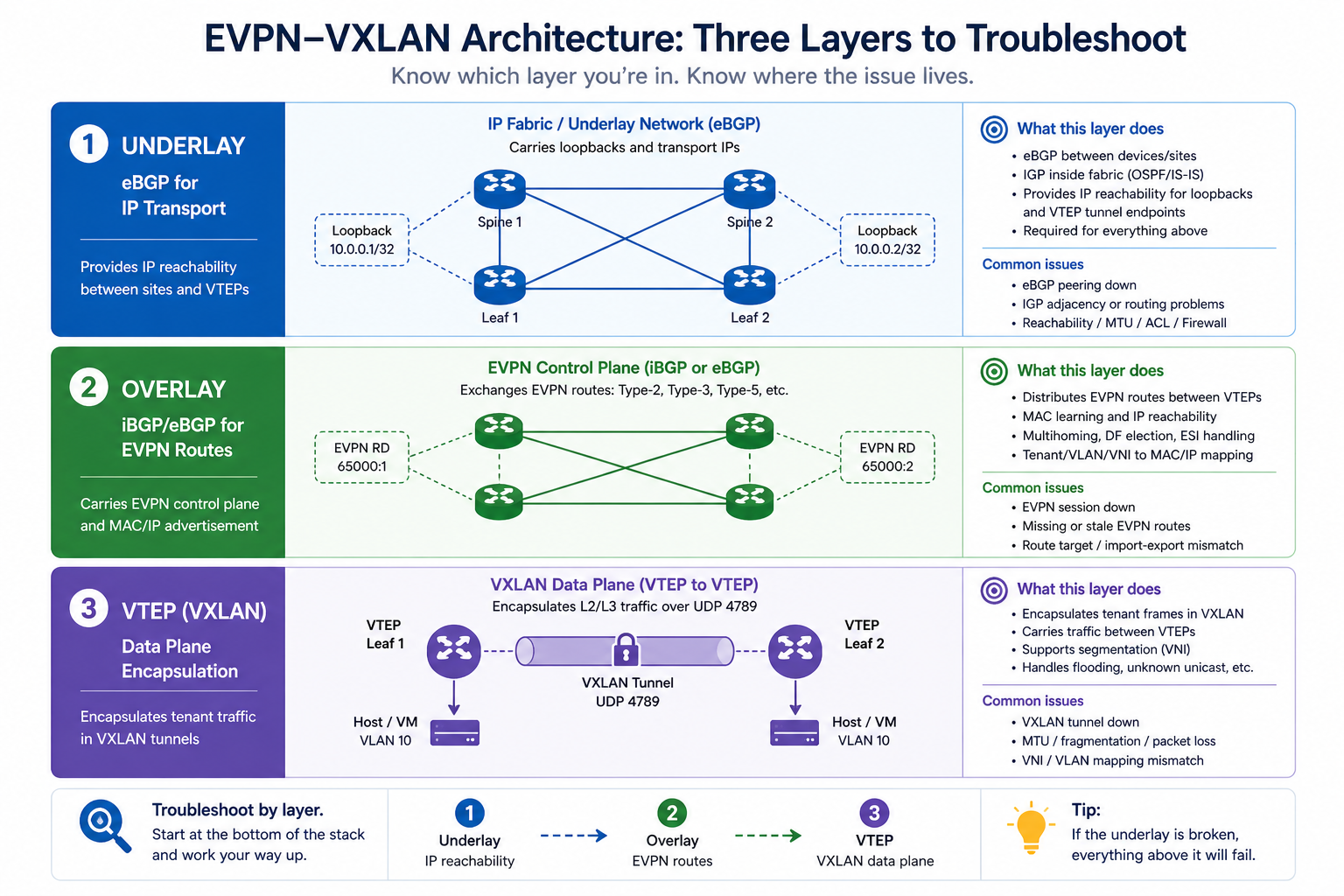
BGP in an EVPN-VXLAN fabric is doing two jobs at once. The underlay BGP carries IP reachability between VTEPs. The overlay BGP carries EVPN routes (MAC-IP, EAD, IMET, prefix routes) that build the actual virtual networks. When BGP flaps in this kind of environment, the cause might be in either layer, and the diagnostic approach is different from troubleshooting BGP on a single-layer network. This post walks through the diagnostic order we use in production fabrics to isolate the issue fast.
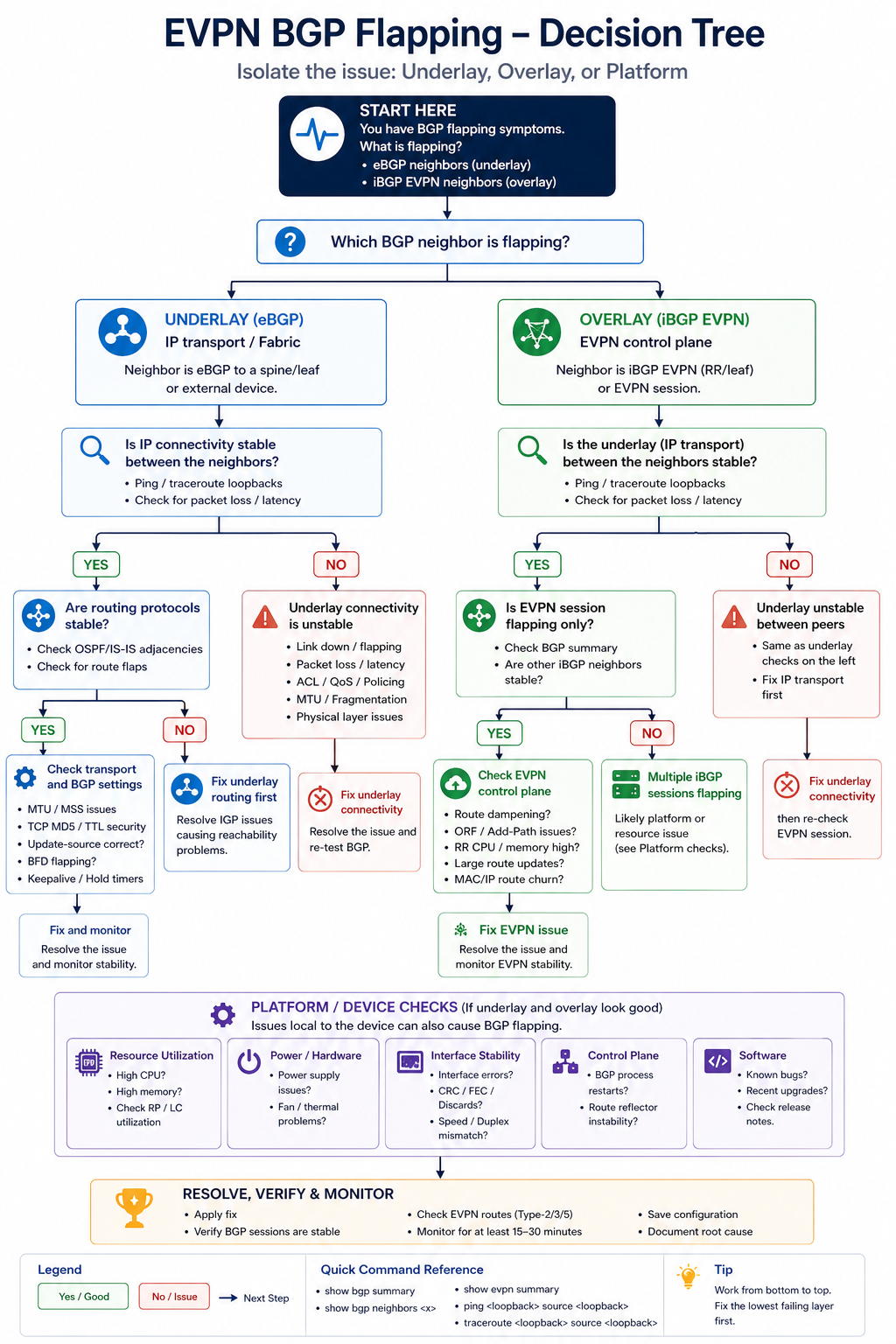
The short version. Always isolate underlay first. If the underlay BGP session between leaf and spine is unstable, the overlay sessions ride on top of that and look unstable too, but the root cause is one layer down. Spending an hour debugging EVPN AFI before you have confirmed the underlay is solid is one of the most common time-wasters in fabric operations. Walk the layers from physical, to underlay, to overlay, in that order, every time.
The two BGP sessions, briefly
In a typical EVPN-VXLAN fabric, every leaf has at least two BGP sessions to each spine. The first runs in the IPv4 unicast AFI (or IPv6) and carries the underlay reachability. The second runs in the L2VPN EVPN AFI and carries the overlay routes. The two sessions are independent at the protocol level but they ride on the same underlying TCP transport and physical interface. So a flap on the physical layer affects both.
The trick is that some causes affect only the underlay (a faulty interface), some affect only the overlay (an EVPN AFI configuration issue or an EVPN route-import policy that drops everything), and some affect both. Knowing which layer is unstable narrows the search space dramatically. The output of show bgp summary by AFI tells you instantly where the issue lives.
Diagnostic order
Step 1, physical and interface health
Before BGP, check the physical link. Interface error counters, CRC, input drops, optical light levels on the SFP. A spine-leaf link with marginal optics will produce BGP flaps that look like a routing issue but are actually a layer 1 issue. show interface counters errors on both sides. If anything is non-zero and growing, fix the physical layer first.
Step 2, underlay BGP session state
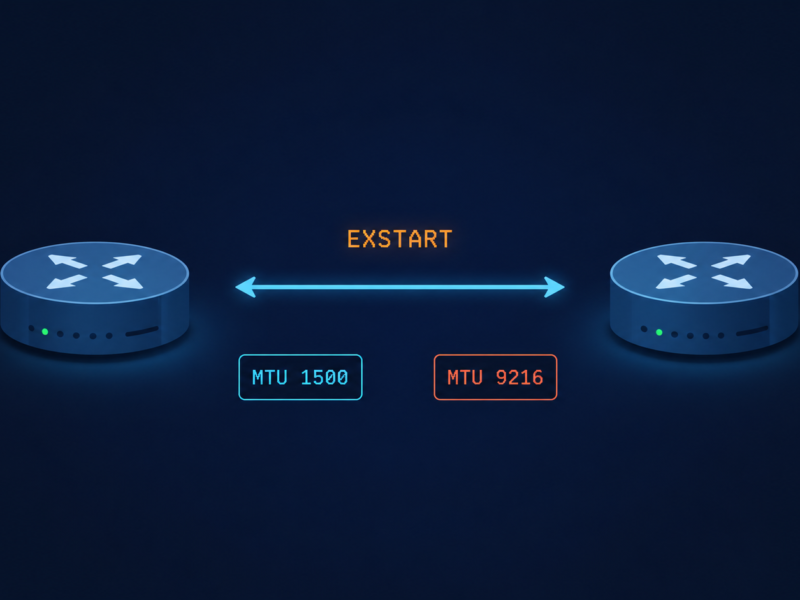
Run show bgp ipv4 unicast summary on the leaf and confirm the session to each spine is Established with a stable uptime. If uptime is short or oscillating, the underlay is unstable. Common causes: BGP timer mismatch, ACL blocking BGP TCP 179, MTU issue affecting BGP UPDATE messages.
Step 3, overlay (EVPN AFI) session state
Run show bgp l2vpn evpn summary. If the underlay is solid but EVPN is unstable, the issue is in the overlay layer. Possible causes: route-target import policies that conflict, EVPN-specific platform bugs, or excessive overlay route churn from an external trigger (e.g., MAC moves cascading from a dual-homed host).
Step 4, EVPN route table churn
Even with stable BGP sessions, EVPN can show symptoms of instability if specific routes are flapping rapidly. show bgp l2vpn evpn route-type 2 and look for MAC-IP routes that are constantly being withdrawn and re-advertised. This often points to a host that is moving rapidly between VTEPs (a misconfigured load balancer, a multi-homed host with poor LACP), or to a duplicate MAC somewhere in the fabric.
Step 5, MAC mobility events
EVPN’s MAC mobility extended community tracks how often a MAC has moved. show evpn mac route-type 2 detail and look for elevated mobility sequence numbers. If the same MAC is at sequence 50 after a few minutes, you have a host or device that is constantly being attributed to different VTEPs.
Step 6, platform CPU and process health
If everything above looks healthy and BGP still flaps, check leaf and spine CPU. Aggressive churn from another protocol, a flapping interface elsewhere, or a misbehaving streaming telemetry export can starve BGP of CPU and trigger keepalive misses. show processes cpu sorted and look at history.
Common patterns we see in production
Three patterns dominate in real fabrics. First, a single dual-homed host with bad LACP causes MAC mobility events that ripple through the EVPN AFI and create the appearance of fabric-wide flapping. Find the host, fix the LACP. Second, an MTU mismatch on a single spine-leaf link drops some BGP UPDATEs but not others, causing intermittent EVPN route disagreement between leaves. Third, a route-target import policy with a typo causes one leaf to fail to import EVPN routes from a specific tenant, which surfaces as black-holing in that tenant’s traffic but not as a BGP session flap. The third pattern is particularly insidious because show bgp summary looks fine.
What the vendor documentation does not tell you
Cisco, Arista, Juniper, and Nokia each implement EVPN with slight differences in how they handle MAC mobility, ESI labels, and route-target auto-derivation. Multi-vendor fabrics can produce flap-like behavior simply because different vendors interpret a corner case slightly differently. If you run a multi-vendor fabric, document the specific quirks of each vendor’s EVPN implementation in your runbook before the next incident.
Also, BFD is widely deployed for fast failure detection in fabrics, and BFD running too aggressively will declare a session down on a momentary CPU dip. If BGP is flapping with very fast hold-down times, check whether BFD configuration is more aggressive than the underlying platform can sustain.
The architectural fix
Stable EVPN fabrics share four traits. They use route reflectors or route servers to bound the BGP mesh complexity. They monitor underlay and overlay separately, with distinct dashboards and alert thresholds. They have a documented multi-vendor quirks file that captures every interop decision made during deployment. And they do not over-tune BFD or BGP timers without testing under load. Most fabric instability we encounter traces back to skipping one of these.
FAQ
Should I check underlay or overlay first?
Underlay first, always. Overlay sits on top of underlay TCP, so any underlay instability surfaces in overlay too. Confirming underlay is healthy isolates the search.
Is it ever the spines and not the leaves?
Sometimes, especially when one spine has a different software version or hardware generation than the other. Spine asymmetry is rare but real, and it causes very confusing flap patterns.
Will BGP graceful restart help?
For planned events like software upgrades, yes. For actual instability, no.
Related posts
Need help with a fabric incident
EVPN fabrics are unforgiving when something is off. Our data center practice operates and audits EVPN-VXLAN fabrics at scale and we are comfortable jumping into an active incident. Send us the topology and a sample of show output and we will help isolate.
Last verified April 2026 by the aaanetworkx data center practice.