OSPF neighbor stuck in EXSTART means the adjacency stalled while exchanging database descriptions, and the cause is almost always one of five specific things.
You typed show ip ospf neighbor, expected to see Full, and got EXSTART instead. The link is up, ping works, the interfaces are even talking to each other a little because you can see the neighbor in the table. But OSPF will not finish forming the adjacency. After 60 seconds the state flips to EXCHANGE, then back to EXSTART, then again, in a loop. This post walks through the five real causes of OSPF stuck in EXSTART, ranked by what we actually see in production, and the verified fix for each.
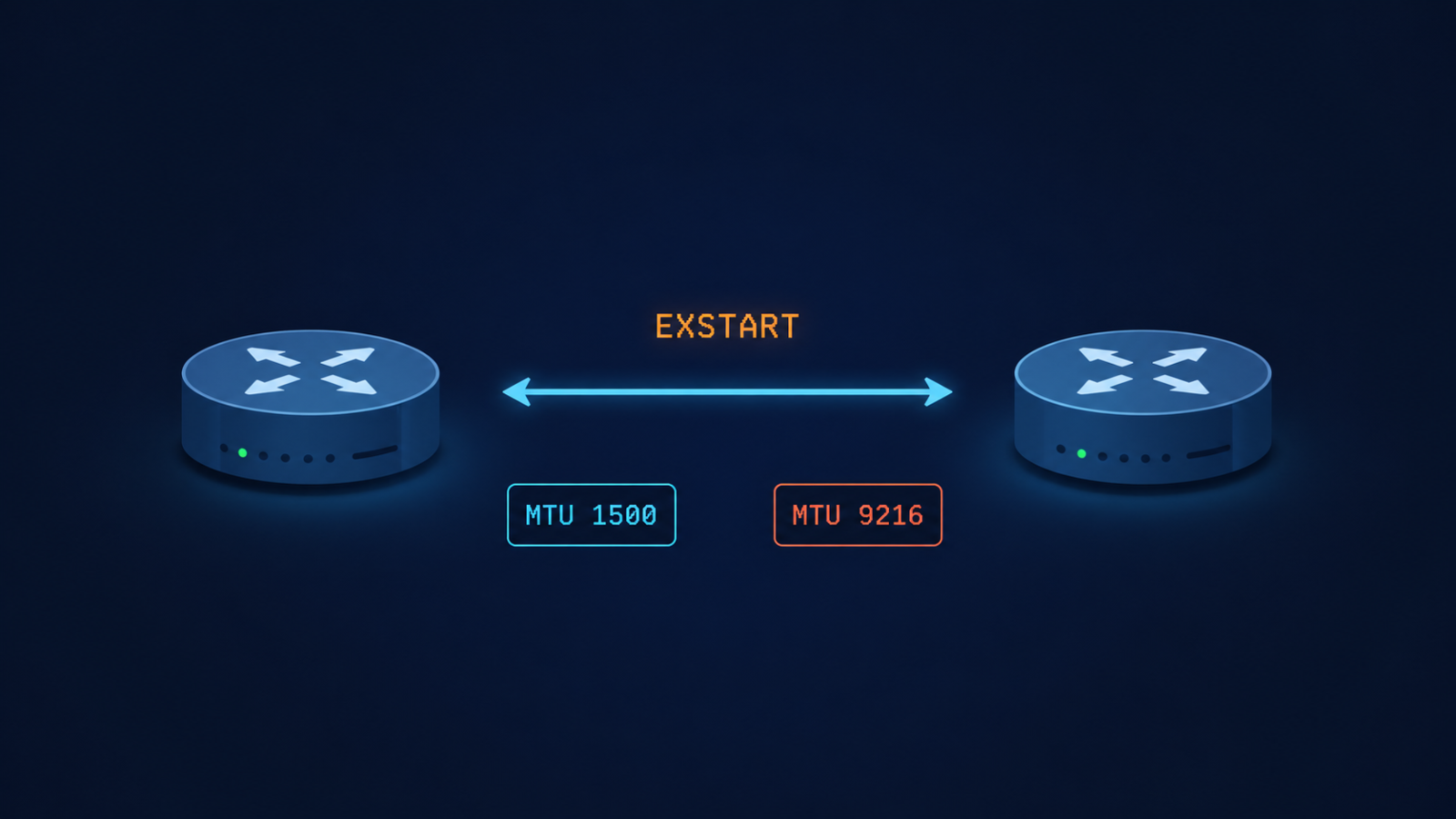
The short version, before you scroll. EXSTART is the state where two OSPF routers are negotiating who gets to be master in the upcoming database description exchange. To do that, each side sends a DBD packet. If the sending router cannot send a packet that the receiver can accept, the negotiation never completes and both sides stay locked in EXSTART. The most common reason that DBD packet gets rejected is an MTU mismatch. About 60 percent of the time, that is exactly what is happening. Match the MTUs and you are usually done in under five minutes.
The other 40 percent of cases come from a small set of less obvious causes that this post covers in order, so you do not waste an hour rechecking MTU when the real issue is somewhere else.
What this state actually means
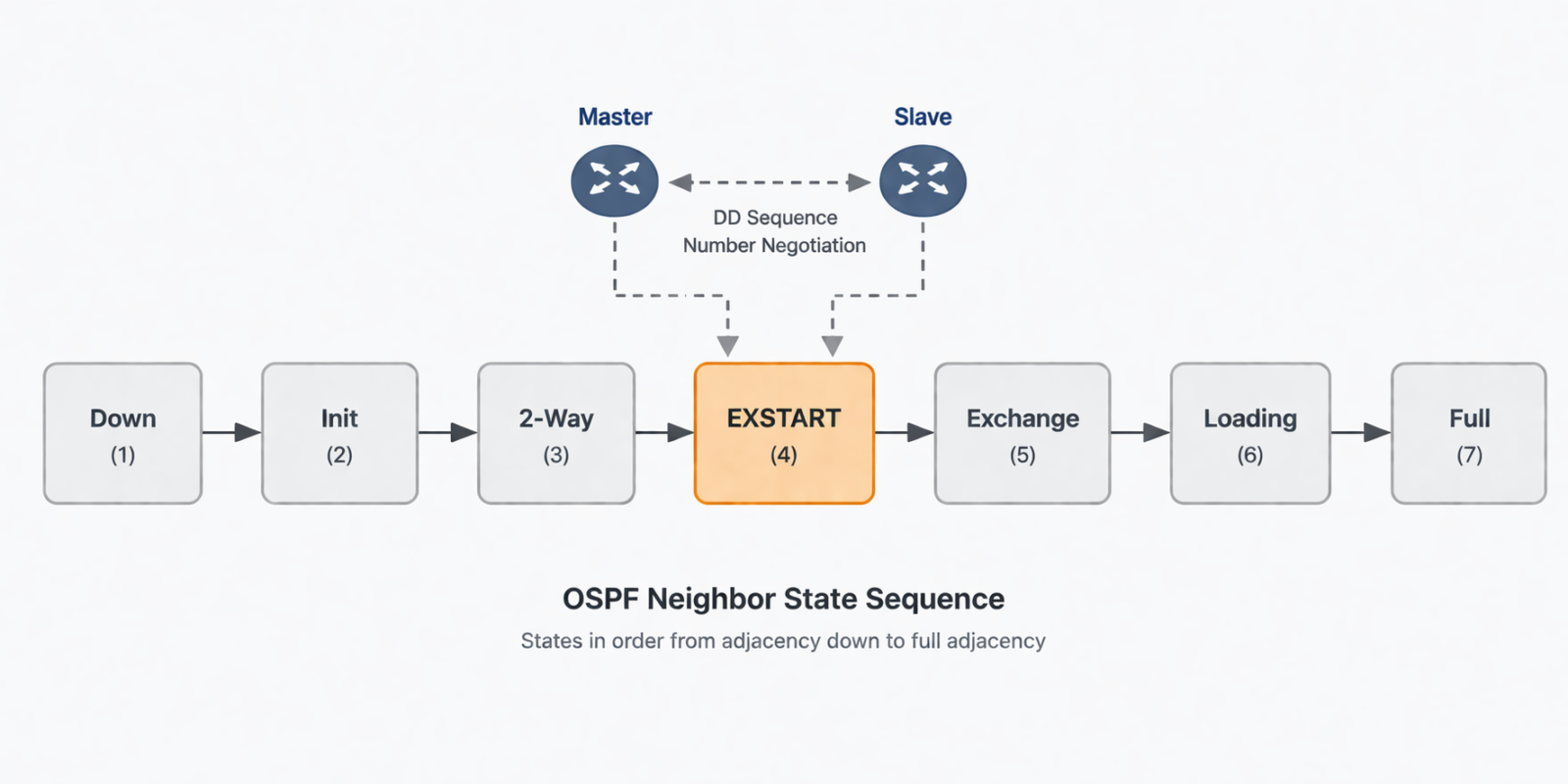
EXSTART is one of the seven OSPF neighbor states, and it sits between Two-Way and Exchange. After two routers have agreed they can hear each other (Two-Way), they need to elect a master and a slave for the upcoming database synchronization. The master is the one with the higher router ID. To kick off this election, each router sends a DBD packet with the I, M, and MS bits set. If both DBD packets arrive successfully, the routers settle on master and slave and progress to Exchange. If either DBD packet is dropped, malformed, or rejected, no election finishes and the state stays at EXSTART.
You will see this in three places. The output of show ip ospf neighbor shows the neighbor in EXSTART instead of Full. The output of debug ip ospf adj shows DBD packets being sent but never acknowledged, or being rejected with an MTU mismatch warning. And your network monitoring system flags a flapping OSPF adjacency or a missing OSPF route in the routing table.
Verified against RFC 2328 (OSPF v2) and current Cisco IOS-XR and Juniper Junos documentation, accessed April 2026.
The five causes, ranked by what we actually see
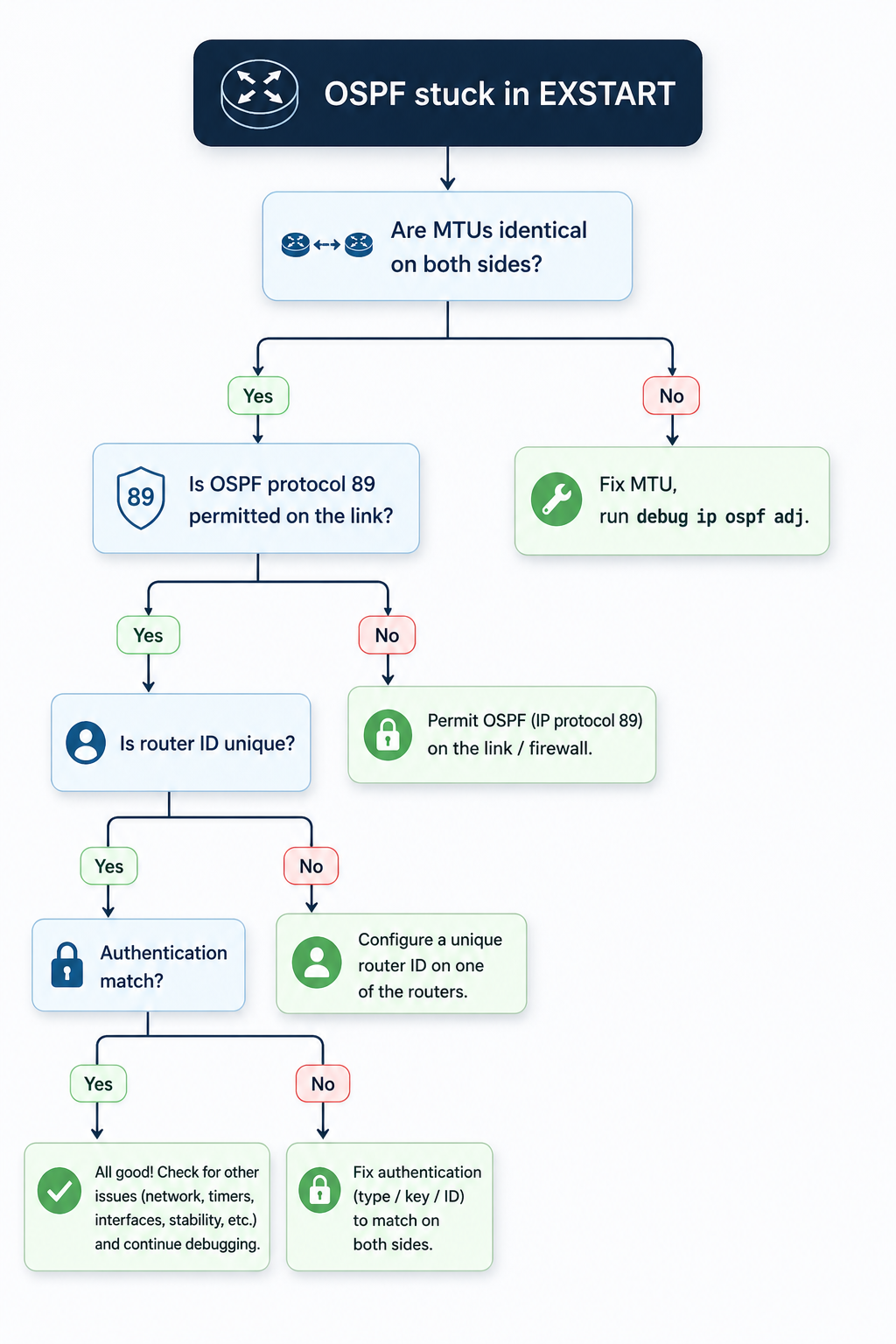
Cause one, MTU mismatch on the link, around 60 percent of cases
By far the most common cause. OSPF DBD packets contain the sending router’s interface MTU. If that value does not match the receiver’s interface MTU, the receiver silently discards the DBD packet and the adjacency stalls. This usually happens after someone enables jumbo frames on one side of a peering but forgets the other side, or after a hardware swap where the new platform defaults to a different MTU.
Verify with show interfaces | i MTU on Cisco or show interfaces extensive on Juniper, on both sides. The values must match exactly. If they do not, fix the smaller one to match the larger, or set both to a known baseline like 1500 for non-jumbo links and 9216 for jumbo links.
If you absolutely cannot fix the MTU on one side (vendor lockout, customer-managed CPE, etc.), Cisco lets you bypass the MTU check on a per-interface basis with ip ospf mtu-ignore. Use this as a last resort, not a default, because the underlying mismatch can still cause problems for any OSPF packet larger than the MTU.
Cause two, OSPF protocol packets being filtered, around 15 percent of cases
Less obvious. An ACL, firewall, or transit security policy is permitting initial OSPF Hellos (which are small) but dropping the larger DBD packets that follow in EXSTART. Common on transit links that pass through a security appliance, or on virtual networks where the underlying infrastructure has a hidden MTU limit.
Verify by sourcing a large ICMP packet from one router to the other with the do-not-fragment bit set, sized just below the configured MTU. If the ICMP fails but Hellos succeed, you have a mid-path filter or fragmentation issue. Trace the path and identify the offender.
Cause three, duplicate OSPF router ID, around 10 percent of cases
Two routers in the same OSPF area with the same router ID will fail to elect a master, because the master selection is based on router ID. The state can hang at EXSTART rather than fail outright. This usually happens after a config copy gone wrong, or when a loopback was provisioned with a default address.
Verify with show ip ospf | i Router ID on both sides. If they match, change one to a unique value (typically the loopback address of that specific router) and reset OSPF on that interface.
Cause four, OSPF authentication mismatch, around 10 percent of cases
OSPF Hellos can pass with simple key validation but DBD packets fail because of a different authentication method or key ID. This shows up especially in multi-area designs where some interfaces use MD5 and some use null authentication, and the configuration drifted on one side.
Verify with show ip ospf interface [int] and look for the authentication line. Both sides must use the same authentication type and the same key ID. Fix the side that drifted, or if you cannot determine which is correct, take both back to null authentication temporarily to confirm the link works, then re-add MD5 with matching keys.
Cause five, software defect on one platform, around 5 percent of cases
Rare but real. Specific Cisco IOS-XE and Junos releases have had bugs where DBD packets are formed incorrectly during master/slave negotiation, especially when one side runs an older release. The fix is a code upgrade on the affected platform, after vendor TAC confirms the bug ID.
Suspect this only after causes one through four are eliminated. Check release notes for the platform code on both sides for recently fixed OSPF adjacency bugs.
What the official documentation does not mention
Cisco and Juniper count MTU differently. Cisco’s MTU value reported by show interfaces is the L3 MTU, which excludes Layer 2 framing. Juniper’s show interfaces extensive shows the full physical MTU including framing. Comparing the two side by side without converting can make MTUs look mismatched when they are actually identical, or look identical when they are mismatched. Always confirm with a packet capture if you are mixing vendors.
Also, EXSTART can briefly appear during normal OSPF convergence even on a healthy link, especially after a reboot or interface flap. If you see EXSTART for fewer than 30 seconds and then the adjacency goes to Full, that is normal. EXSTART persisting beyond a minute is when you start troubleshooting.
The architectural fix
Most networks that see EXSTART more than once a year have no MTU baseline. Define one for every link type in your network (1500 for default Ethernet, 1546 for tagged Ethernet, 9216 for jumbo) and enforce it through configuration management. Add an automated weekly check that compares MTUs across every OSPF adjacency in the network and emails the team on any mismatch. Most production networks I review have at least one silent MTU mismatch sitting on a link that has not converged correctly for months, hidden because OSPF still works for hellos and small packets.
Pair this with OSPF authentication standardized across the network. Inconsistent authentication is the second silent killer of routing reliability and is just as easy to drift on.
When to escalate
Engage your platform vendor TAC if you have eliminated MTU, ACL/path filter, router ID, and authentication, the link still flaps in EXSTART, and the issue follows a specific code release. Bring the output of debug ip ospf adj from both sides, the relevant interface configurations, and a clear timeline of when the problem started.
FAQ
Will the adjacency form if I just enable mtu-ignore?
Often yes, but you are masking the underlying mismatch. The adjacency forms because OSPF stops checking the MTU during DBD exchange, but any OSPF packet larger than the smaller side’s MTU may still drop in production traffic. Use mtu-ignore as a temporary workaround only, never as a permanent fix.
Does point to point versus broadcast network type matter?
Yes. On broadcast networks, the DR/BDR election can also stall in EXSTART if there is no agreement on who is the DR. On point-to-point networks, this is not a factor. If you are seeing EXSTART on a broadcast network, also verify the network type is set the same on both sides.
Can a hardware fault cause this?
Rarely, but yes. A failing transceiver or line card that drops large packets but passes small ones can mimic an MTU issue. Check for interface errors and CRC counts, and try the same OSPF peering on a different interface or platform to isolate.
Related posts
Stuck on EXSTART after trying everything
If your team has been chasing this for more than an hour and rechecked MTU, ACLs, router ID, and authentication, the issue is usually one rung deeper, in the path or the platform. Our routing practice handles OSPF and BGP for service providers and large enterprises and we treat stuck adjacencies as service-affecting from minute one. Tell us about the topology and we will help you isolate it.
Last verified April 2026 by the aaanetworkx routing practice.