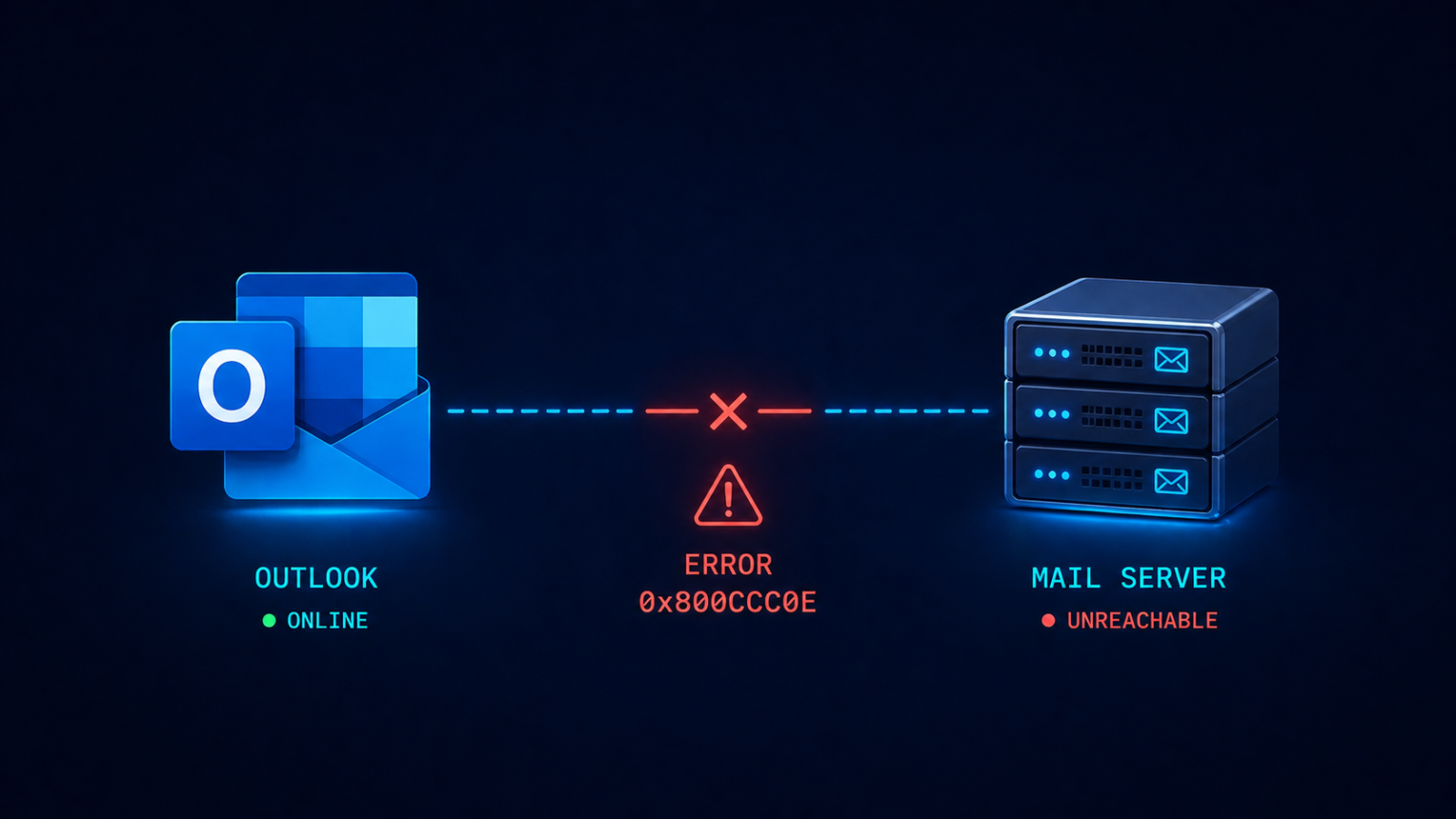
Outlook error 0x800CCC0E means the client cannot establish a TCP connection to the mail server, and the cause is one of five specific things.
Outlook tells you “Cannot connect to server, error 0x800CCC0E” and refuses to send or receive. The user is annoyed, the day’s emails are stacking up, and you need to fix it now. This post walks through the five real causes ranked by what we see most often, the diagnostic order, and the architectural fix that stops the error from recurring across your organization.
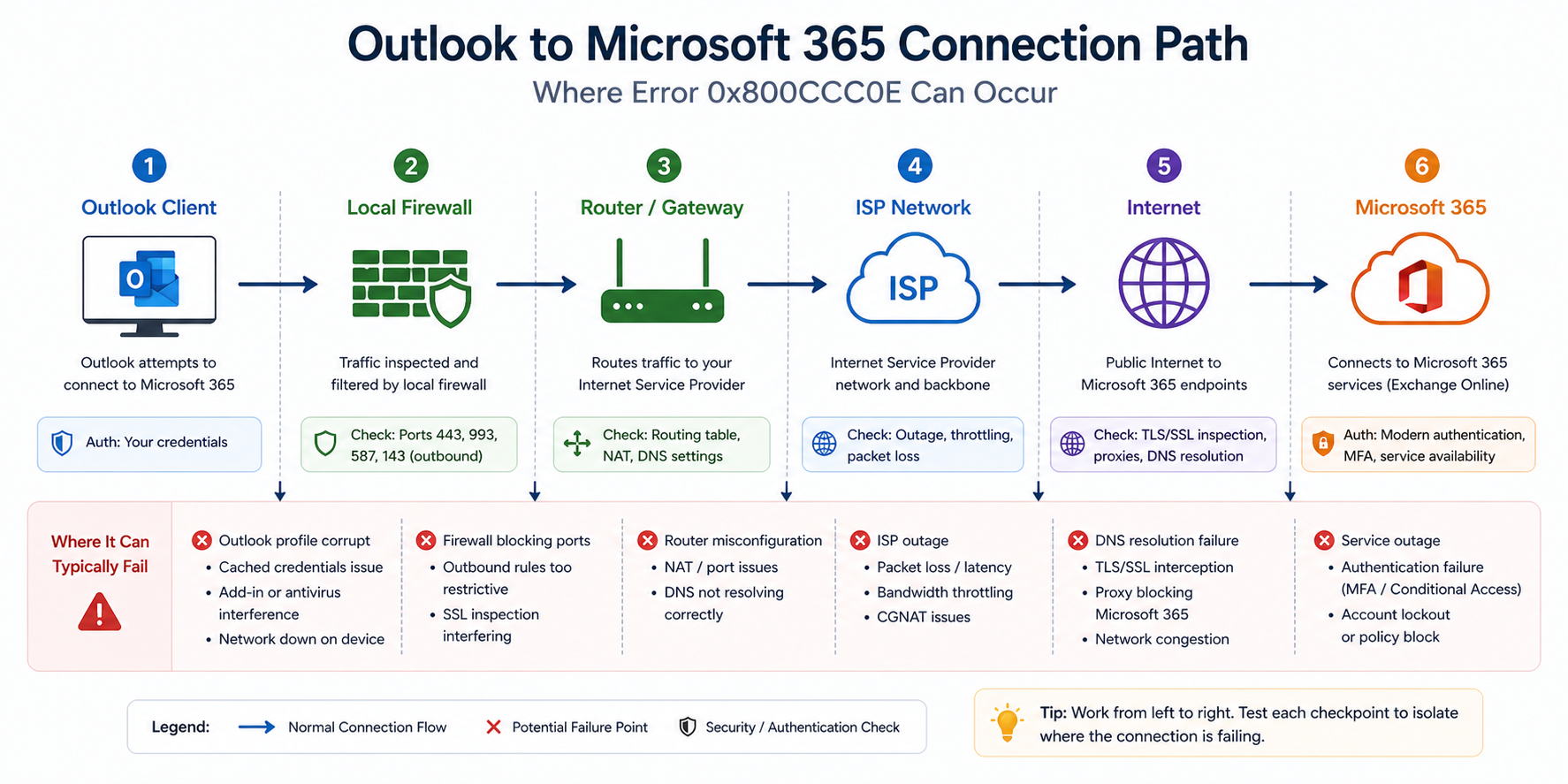
The short version. 0x800CCC0E is a generic TCP connection failure. The Outlook client tried to open a TCP connection to the mail server (typically Microsoft 365) and got back nothing, or got blocked. The cause is somewhere along the path between the client and the server, and the path goes through your local network, your firewall, your ISP, and the internet before reaching Microsoft. There are about five things that can break that chain in practice.
Most often it is an ISP blocking outbound port 25 (for SMTP submission) or a recent firewall rule change that broke connectivity. Less often it is an authentication issue masquerading as a connection error. Even less often it is the Outlook profile itself being corrupt. Whatever the cause, the fix is rarely deleting and recreating the profile, which is the first thing many users try and which often does not help.
What this error actually means
0x800CCC0E is Outlook’s way of saying “I tried to make a TCP connection, it did not work, and I do not have a more specific reason.” The error fires before any authentication happens, which is why your password is not the issue even though Outlook may prompt for it.
You will see it three places. The Outlook send/receive dialog shows the error code. The Outlook test email account feature fails with the same code. And telnet from the user’s machine to outlook.office365.com on port 993 (IMAP), 587 (SMTP submission), or 443 (HTTPS, used by modern Outlook) confirms whether TCP itself is reaching the server.
Verified against current Microsoft Outlook for Microsoft 365 documentation, accessed April 2026.
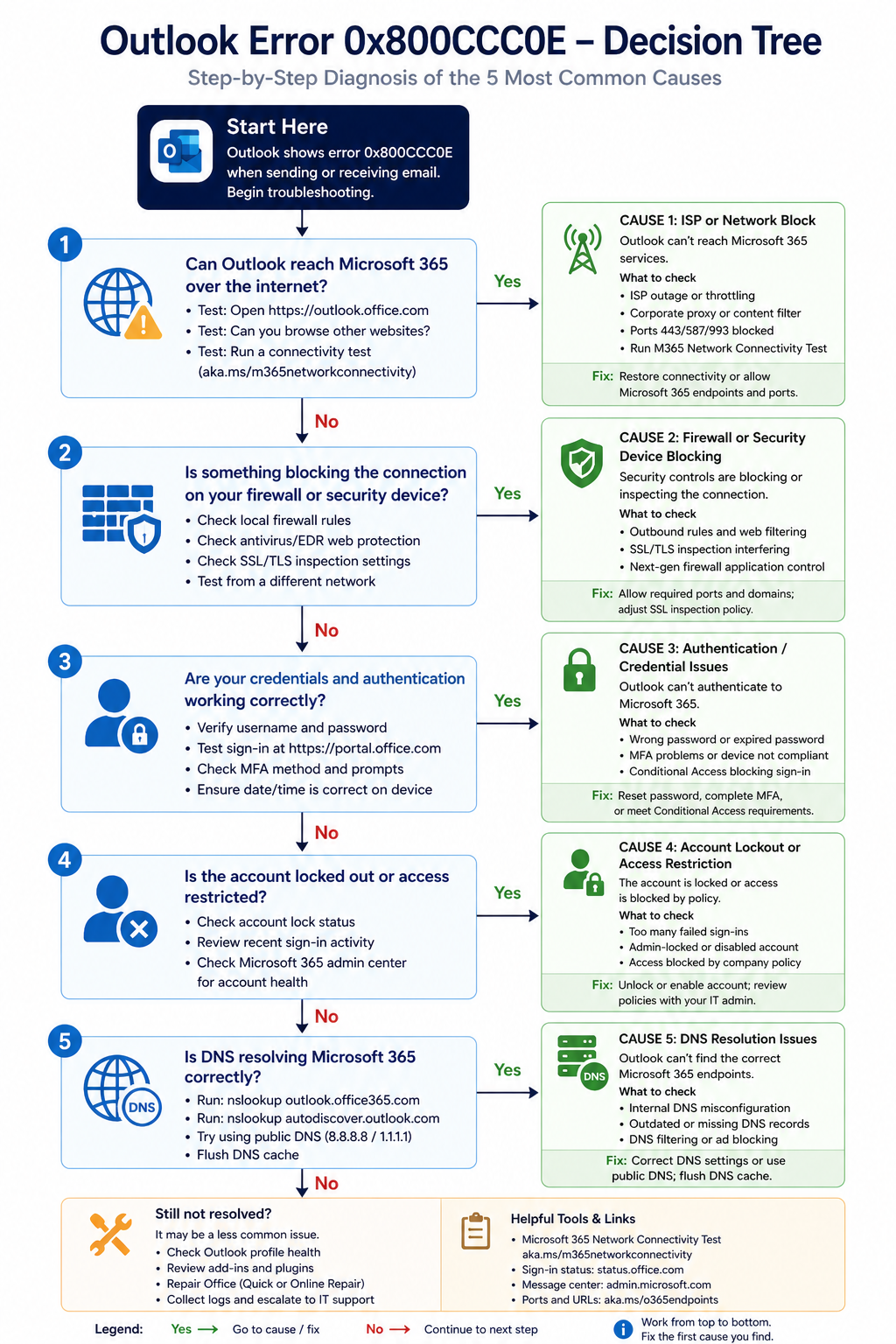
The five causes, ranked
Cause one, ISP blocking outbound port 25, around 30 percent of cases
Many residential and small business ISPs (Telus, Shaw, Bell, others) block outbound TCP 25 to prevent spam from compromised home computers. If a user is configuring SMTP on port 25 from a home or small office, the connection fails and Outlook reports 0x800CCC0E.
Fix by switching to SMTP submission port 587 with TLS, which is what Microsoft 365 expects anyway. Modern Outlook with M365 uses HTTPS exclusively and does not hit this issue, but legacy POP/SMTP configurations do.
Cause two, local firewall or security software blocking, around 25 percent of cases
Windows Defender Firewall, third-party antivirus, or a corporate security suite is blocking Outlook’s outbound traffic. Often happens after a security software update or a Windows update that changed default firewall rules.
Verify by temporarily disabling the firewall (only for the test, do not leave it off) and retrying Outlook. If it works, configure an explicit allow rule for outlook.exe and re-enable.
Cause three, authentication issue surfacing as connection error, around 20 percent of cases
The Outlook profile has stale credentials, the account is locked due to repeated failed logins, or MFA is required but the profile has not been updated to use modern authentication. Outlook surfaces this as 0x800CCC0E because it cannot complete the negotiation.
Verify by signing into the M365 web portal at outlook.office.com with the same credentials. If that works but Outlook does not, recreate the Outlook profile (not delete and recreate the account, just the profile entry in Mail control panel). If web sign-in also fails, check the user’s account status in the M365 admin center.
Cause four, DNS resolution failure, around 15 percent of cases
Outlook cannot resolve outlook.office365.com or smtp.office365.com to an IP address. Often happens when the user is on a VPN with split DNS, or when the local DNS server is misconfigured.
Verify with nslookup outlook.office365.com from a command prompt. If it fails, fix DNS first. If it works, look elsewhere.
Cause five, corrupt Outlook profile, around 10 percent of cases
The Outlook profile has internal corruption that prevents the connection from establishing. The user typically tried clearing the profile already and the issue returned.
Verify by creating a new Windows user profile and configuring Outlook there. If it works in the new profile, the original profile is corrupt. Migrate user data and switch.
What the official documentation does not mention
Microsoft’s article points at SMTP port and authentication. It does not mention that 0x800CCC0E shows up after a Windows feature update if Defender Firewall settings get reset. After major Windows updates, audit firewall rules for Outlook explicitly. Also, modern Outlook with M365 does not use SMTP/POP/IMAP at all in default configurations, it uses MAPI/HTTP over 443. If a user is hitting 0x800CCC0E with M365, check whether they accidentally configured POP/IMAP instead of Exchange or Office 365 type when adding the account.
The architectural fix
For organizations, three controls eliminate most 0x800CCC0E incidents. First, standardize on M365 Exchange Online connections (port 443, modern auth) rather than POP/IMAP/SMTP. Second, deploy Outlook profiles via configuration management with explicit firewall rules. Third, monitor account lockout events centrally so the helpdesk knows about authentication issues before users complain.
FAQ
Will reinstalling Outlook fix this?
Sometimes, but only for the corrupt-profile case. If the issue is firewall, ISP, or DNS, reinstalling Outlook does nothing.
Does this affect both Outlook desktop and Outlook mobile?
0x800CCC0E is a desktop Outlook error code. Outlook mobile uses a different protocol and surfaces different error messages.
Is this the same as 0x800CCC0F?
No. 0x800CCC0F means the connection was established but interrupted, while 0x800CCC0E means the connection never established. Different fixes.
Related posts
- Office 365 Error 5.7.708
- Active Directory Replication Error 8606
- Hidden Risks of Co-Managed Microsoft 365
Email problems that keep coming back
If your organization sees 0x800CCC0E or related Outlook errors more than rarely, the underlying issue is usually configuration drift across user devices. Tell us about your environment and we will help you standardize so this stops happening.
Last verified April 2026 by the aaanetworkx Microsoft 365 practice.