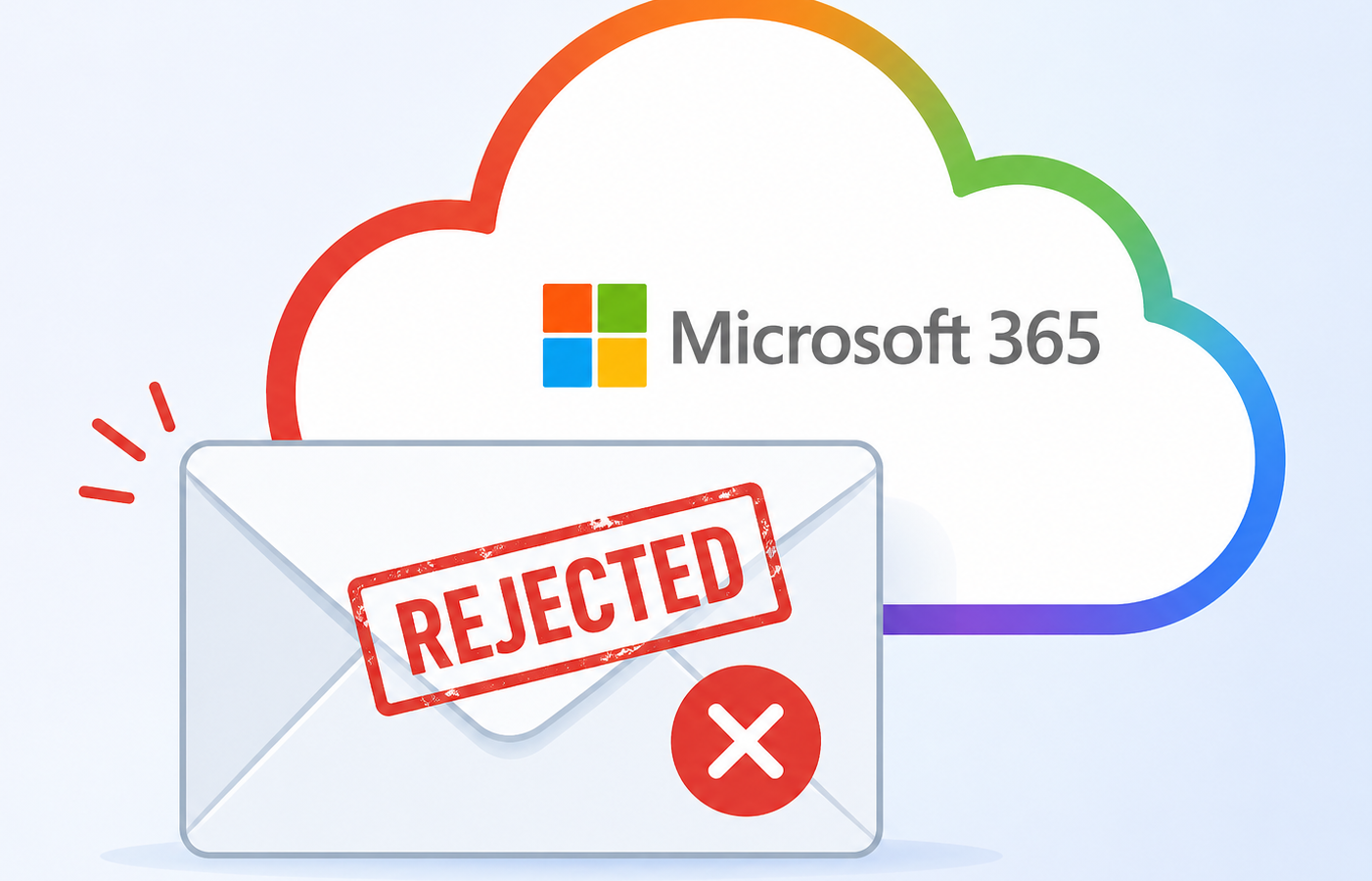
You sent a perfectly normal email to a customer on Microsoft 365 and it bounced back with this delightful message. “Service unavailable, Client blocked from sending from unregistered domains. 5.7.708.” If you are reading this, your team probably cannot send to anyone hosted in Microsoft 365 right now, which depending on your industry might mean nobody.
Take a breath. This one is fixable, usually within a couple of hours, but the path is not obvious if you have never walked it before.
Here is what is happening. Microsoft has decided that the public IP address your mail is leaving from looks suspicious. That can happen for legitimate reasons (your firewall vendor changed something, your hosting provider reassigned the IP, your domain has not built reputation yet) or for less legitimate reasons (a compromised account on your network started sending spam through the same egress IP). Either way, the symptom is identical and the unblock procedure is the same.
What 5.7.708 actually means
The Exchange Online inbound mail filter assigns a reputation score to every IP address that connects to it. When that score crosses a threshold for any of several reasons, including unauthenticated sending, low domain age, or a sudden volume spike, the IP gets placed on what Microsoft calls the high risk delivery pool, and any mail coming from it receives a 5.7.708 rejection at the SMTP layer.
The bounce includes the offending IP in the diagnostic information. Find it in the original headers of the non delivery report. That IP is the one you need to unblock, and it is almost always your firewall’s public address, not the address of your internal mail server.
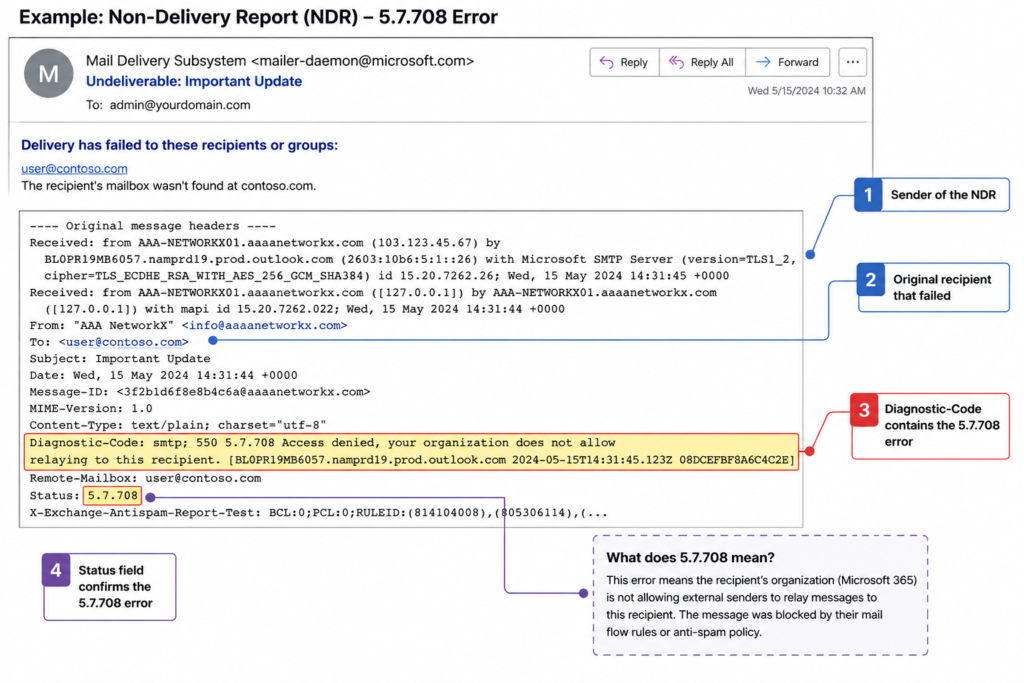
Verified against Microsoft Learn documentation for Exchange Online Protection error codes, accessed April 2026.
The three things that cause it, in order of how often we see them
Cause one, an account on your network was compromised, around 60 percent of cases
This is the most common trigger and the one people least want to hear. A user clicked a phishing link last week, an attacker is now sending pharmacy spam through Outlook on the web, and Microsoft noticed before you did. Before you do anything else, audit recent sign ins in the Microsoft 365 security portal for impossible travel and unusual sending volume. If you find the compromised account, reset the password, revoke all sessions, and check inbox rules for hidden forwarders.
Cause two, your SPF or DKIM is broken or missing, around 25 percent of cases
If your sending domain does not publish a valid SPF record that includes your egress IP, or your DKIM signature is failing, Microsoft has no way to verify that your mail is legitimate. Run your domain through any free SPF and DKIM checker. Fix the records. Wait for DNS to propagate. The block usually clears within a few hours after authentication starts passing.
Cause three, a new IP with no sending history, around 15 percent of cases
This hits companies that just moved to a new firewall, a new hosting provider, or a new SMTP relay. The IP has zero reputation, Microsoft is conservative by default, and your mail gets blocked until you build a track record. The fix here is the formal delist request, covered in the next section.
How to unblock the IP
Go to the Microsoft Smart Network Data Services delist portal. The URL is sender.office.com. Submit your IP address along with a working email contact for verification. Microsoft sends a confirmation email, you click the link, and a human reviews the request. Resolution times we have seen recently range from forty five minutes to about six hours. If the request is rejected, the rejection email tells you what authentication or reputation issue still needs to be fixed first.
While you wait, do not switch to a different egress IP just to get mail flowing. That new IP will get blocked too within a day if the underlying cause is a compromised account. Fix the cause first.
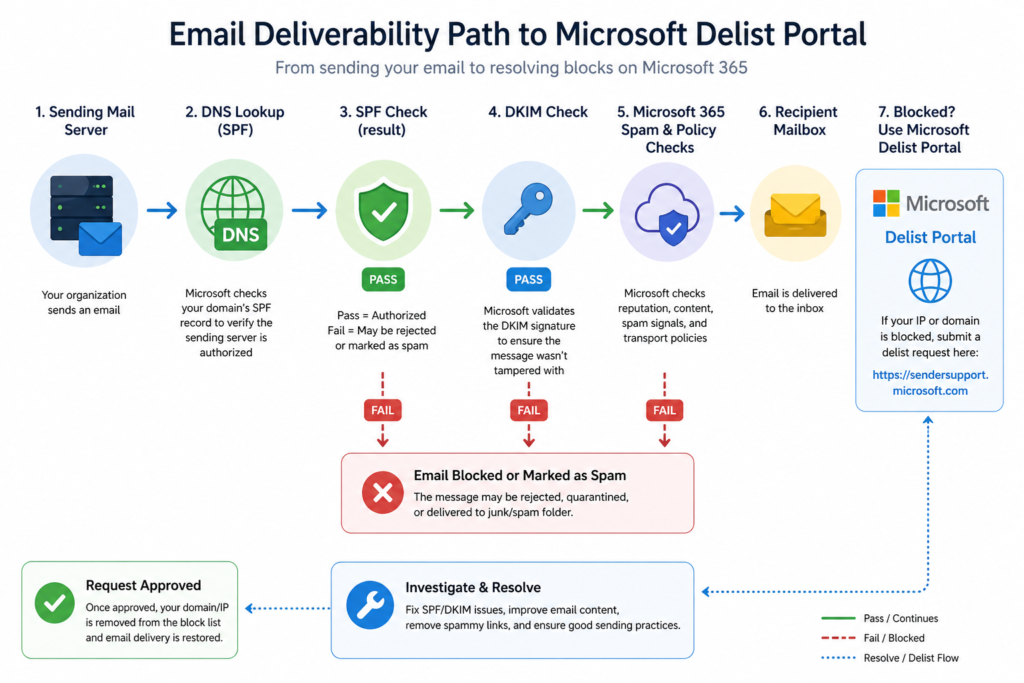
What the official documentation does not mention
Microsoft’s article tells you to use the delist portal. It does not mention that submissions from a free email address (gmail, outlook personal) are deprioritized in the review queue. Use a contact at your own domain or, better, at a domain you host elsewhere. It also does not mention that if your sending domain was recently registered (under thirty days), the delist will likely fail until the domain ages a bit. Patience, in that case, is the only fix.
The architectural fix that stops this from recurring
If you have hit 5.7.708 more than once, the underlying problem is that your egress mail flow has no monitoring on it. The teams that never see this error are the ones who do three things. They lock outbound port 25 to only the addresses of their authorized mail servers. They monitor outbound mail volume per user with an alert at three times the rolling average. And they enforce multifactor authentication on every account that has any mail send permission, including service accounts.
When to escalate
Open a Microsoft support case if the delist portal rejects your request three times in a row with no clear reason, or if the block returns within twenty four hours of being lifted despite no compromise indicators. Bring the bounce headers, the SPF and DKIM check results, and the timestamps of any recent network changes.
FAQ
How long does the Microsoft delist portal take?
Most submissions clear within four hours during business hours in Pacific time. Submissions outside that window may take longer.
Can I get added to an allow list to prevent this in future?
No. Microsoft does not maintain a permanent allow list for sending IPs. Reputation is recalculated continuously.
Will my queued mail deliver after the unblock?
Yes, your sending mail server will retry queued messages on its normal schedule and they will go through once the IP is removed from the high risk pool.
When the bounces will not stop
If your team is fighting this every few months, we should talk. Our managed messaging practice handles outbound mail hygiene for organizations that cannot afford a single hour of mail downtime. See how we keep your senders out of the high risk pool.
Last verified April 2026 by the aaanetworkx messaging practice.