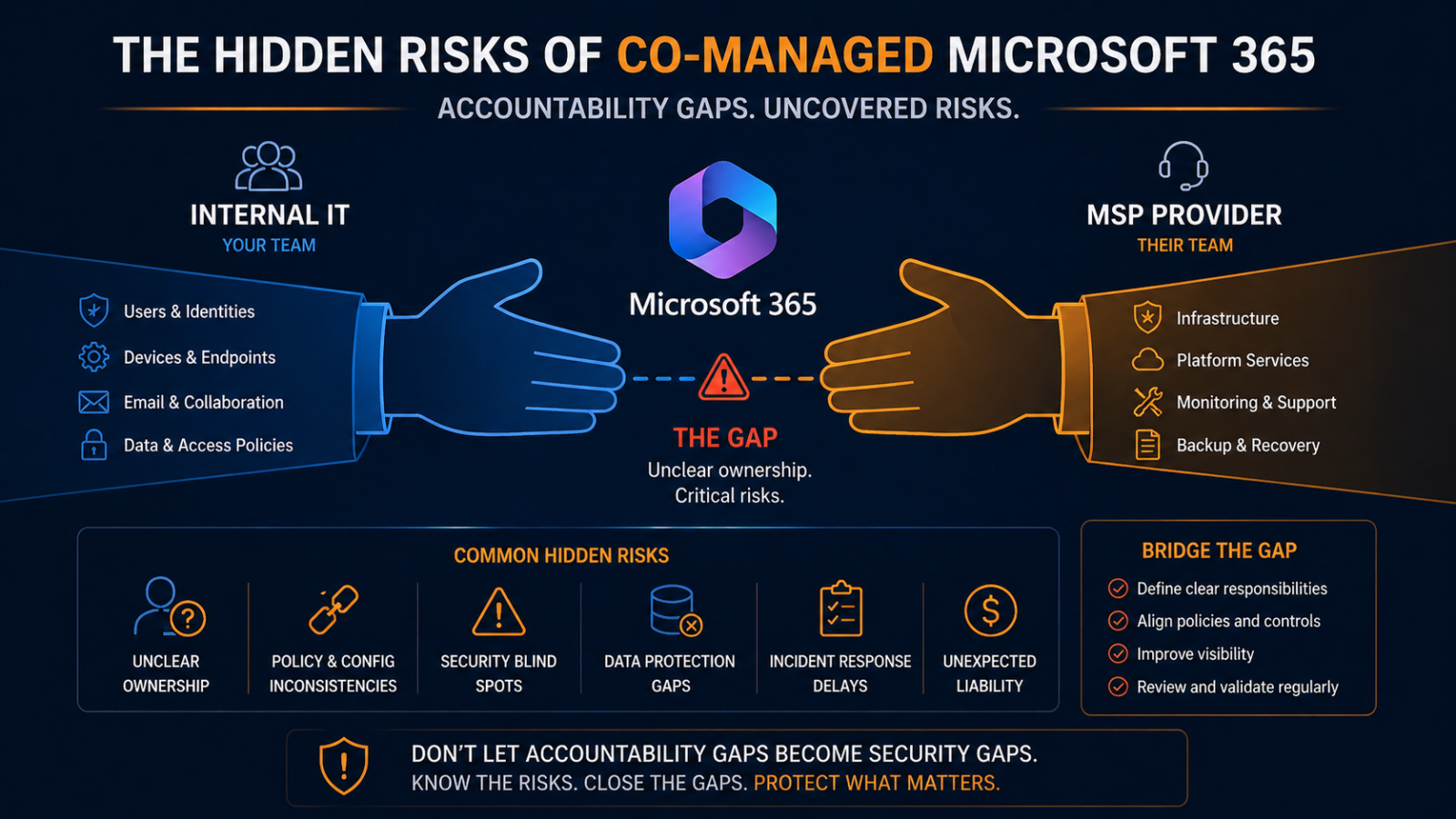
Hidden risks co-managed Microsoft 365 brings include accountability gaps, license drift, and security holes that neither party fully owns until something breaks.
Co-managed Microsoft 365 sounds like the best of both worlds. Internal IT runs day-to-day, an MSP handles deeper expertise and after-hours, costs are split, both teams have skin in the game. In practice, the arrangement creates a specific set of risks that neither party catches because both assume the other is handling them. This post walks through the hidden risks of co-managed M365, ranked by what we see go wrong most often, and what governance actually prevents them.
The short version. The single biggest risk is the accountability gap, where critical M365 functions sit in the grey zone between internal IT and the MSP and neither owns them. Conditional access policies, license optimization, security defaults, retention policies, and admin role hygiene are the most common gaps. The fix is not more meetings. It is a written responsibility matrix that explicitly assigns every function to one party, reviewed quarterly. Most co-managed arrangements we audit do not have one, and that is exactly where the risks compound.
Why co-managed has unique risks
Single-party arrangements (fully internal or fully outsourced) have clear accountability. Things still go wrong, but when they do, you know who is responsible. Co-managed introduces a coordination layer that is rarely as well-defined as the underlying technical work. The MSP assumes internal IT is reviewing security alerts overnight. Internal IT assumes the MSP is keeping the conditional access policies up to date with M365 feature changes. Both assume the other is reviewing license utilization quarterly. Six months later, an audit reveals that nothing was actively assigned.
What goes wrong, ranked
1. Conditional access policies drift, around 35 percent of cases
Microsoft adds new conditional access conditions and signals every quarter. Threat intelligence integration, device health requirements, network location refinements. None of these get applied to a tenant unless someone is explicitly responsible for reviewing the M365 roadmap and updating policies. In co-managed arrangements without clear ownership, conditional access policies sit at the configuration from the day the tenant was set up. The result is a security posture that ages by the month.
2. License waste and gaps, around 25 percent
Internal IT assumes the MSP is optimizing licensing. The MSP assumes internal IT knows which users still need which features. Result: licenses sit assigned to departed staff for months, while new staff get over-licensed because nobody is sure what they need. Or worse, security features that are licensed are not actually enabled because nobody knows they were paid for.
3. Admin role sprawl, around 15 percent
Both internal IT and MSP staff get assigned global admin roles “just in case.” The total list of global admins grows over time, often including departed contractors and former MSP analysts. We audited one tenant with 14 global admins, of whom 6 were no longer employed by either organization. Each one is a credential breach away from a tenant takeover.
4. Retention policies misaligned, around 10 percent
Email and SharePoint retention policies need to match legal hold requirements, which evolve with regulation. Neither party owns this in many co-managed setups, so policies remain at default until a legal request reveals data was deleted that should have been kept, or kept that should have been deleted.
5. Security alert fatigue and missed signals, around 10 percent
Microsoft 365 Defender, Entra Identity Protection, and Purview generate alerts. Internal IT reviews some during business hours. The MSP reviews different ones during overnight monitoring. Without explicit handoff, real signals get missed because neither party is sure who is on first.
6. Tenant configuration drift, around 5 percent
Both parties make changes to tenant configuration over time, often without documenting them. Six months later, nobody knows why a particular setting is what it is, and changes break things in unexpected ways.
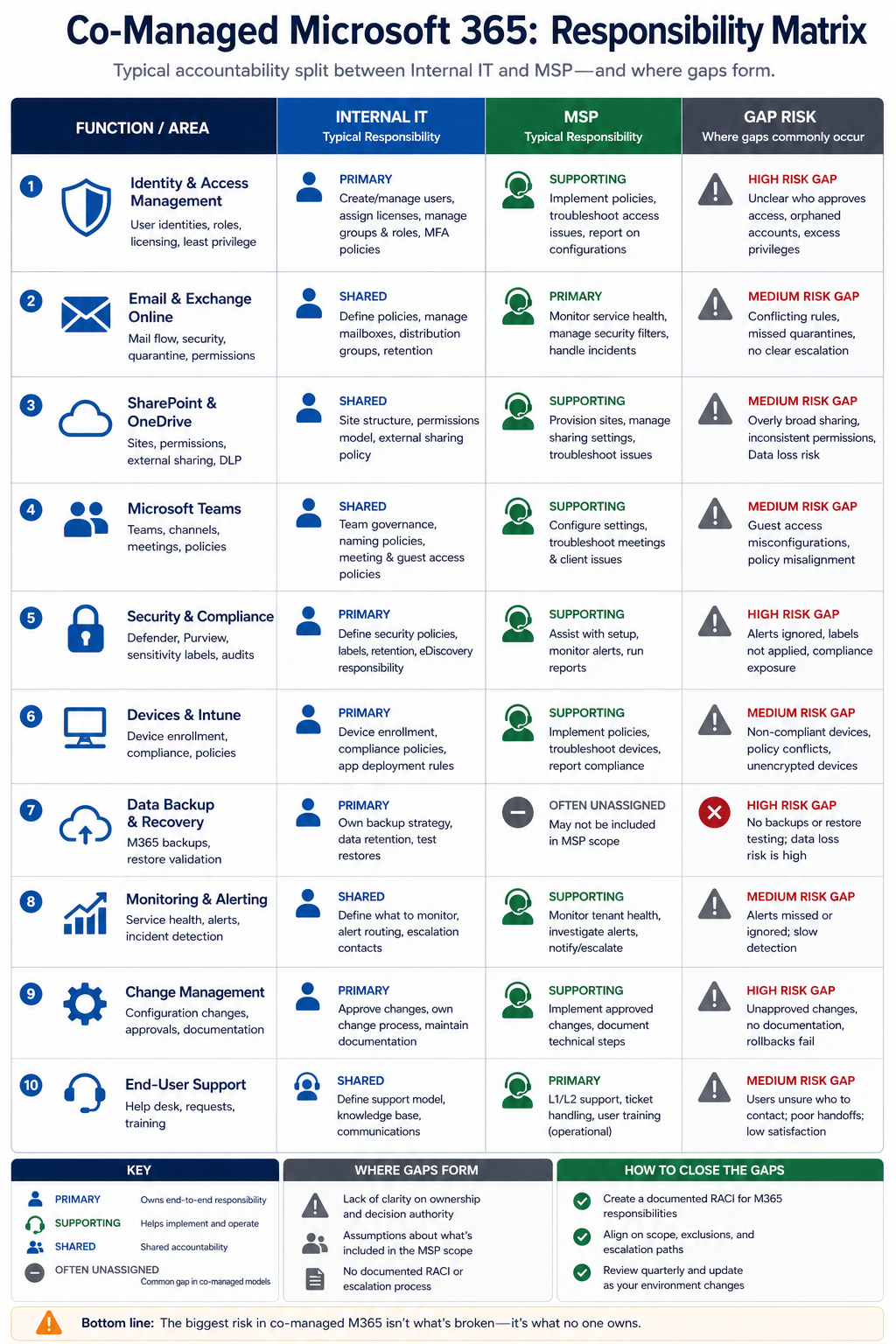
What good governance looks like
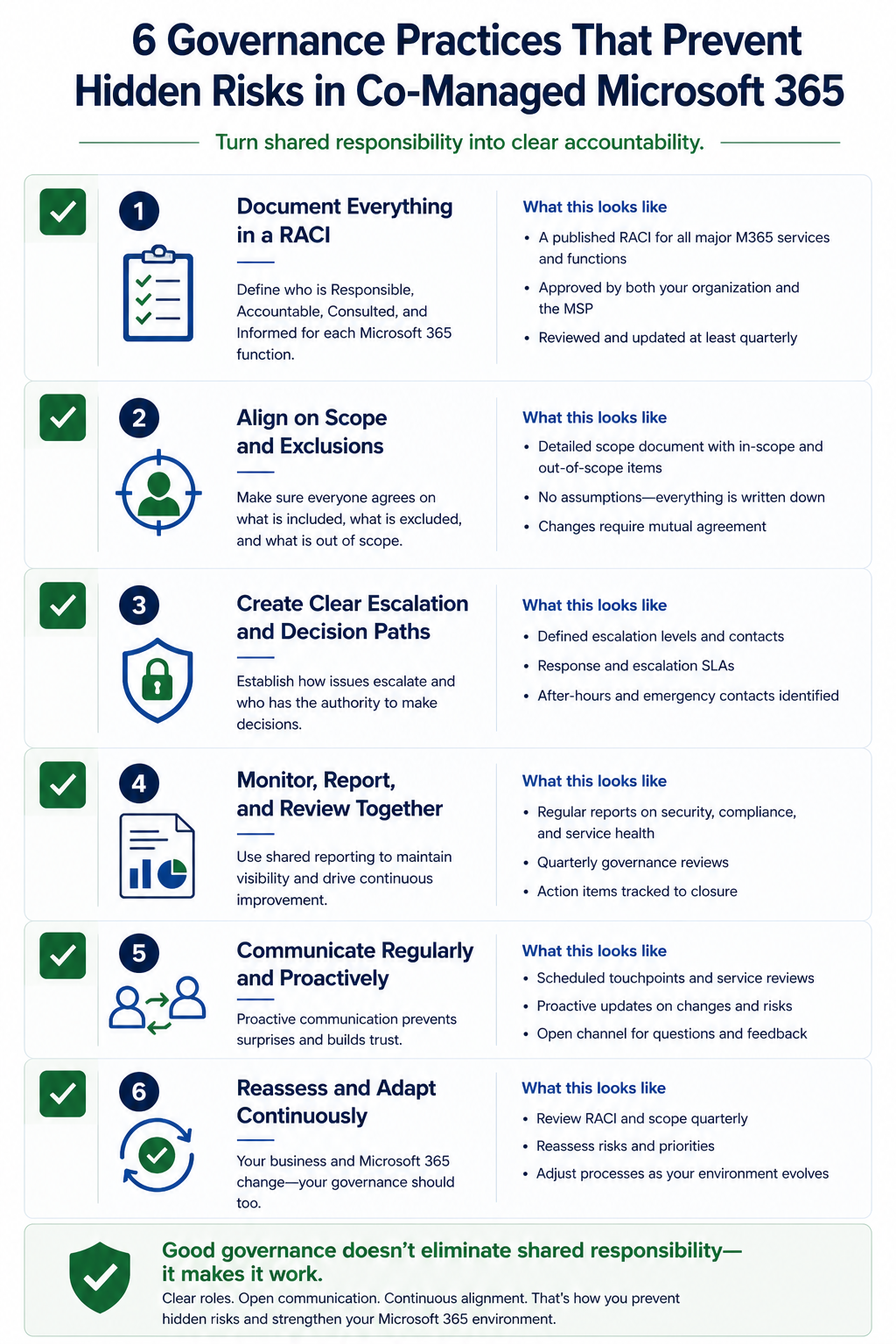
Co-managed arrangements that work well share six practices. First, a written responsibility matrix explicitly listing every M365 function and assigning it to one party. Second, a monthly meeting between internal IT and MSP that reviews changes, alerts, and upcoming Microsoft roadmap items. Third, a quarterly admin role review where both parties confirm who has elevated permissions and remove anyone who should not. Fourth, joint license review every six months. Fifth, a single shared changelog where both parties record tenant configuration changes. Sixth, an annual full audit of conditional access, retention, and security baseline against current Microsoft recommendations.
None of this is exotic. It is governance discipline that organizations doing co-managed well tend to have. Organizations doing it poorly do not.
FAQ
Is co-managed worse than fully outsourced?
Not inherently. Co-managed combines internal context with external expertise and can be excellent. The risk is in execution, specifically the accountability gaps. Fully outsourced has clearer ownership but loses internal context.
How often should we review the responsibility matrix?
Quarterly minimum. Re-confirm assignments, capture any new functions Microsoft has added (CoPilot, new compliance modules, etc.), and adjust as either party’s role evolves.
Do these risks apply to small firms?
Less so. Small firms typically have less complex M365 deployments. The risks scale with tenant complexity, not just employee count.
Related posts
Audit your co-managed arrangement
Most of the gaps above are invisible until something fails. We do focused co-managed M365 audits that produce a written responsibility matrix and a list of the specific gaps your tenant has today. Tell us about your arrangement and we will run a 4 hour audit and deliver findings.
Last verified April 2026 by the aaanetworkx Microsoft 365 practice.