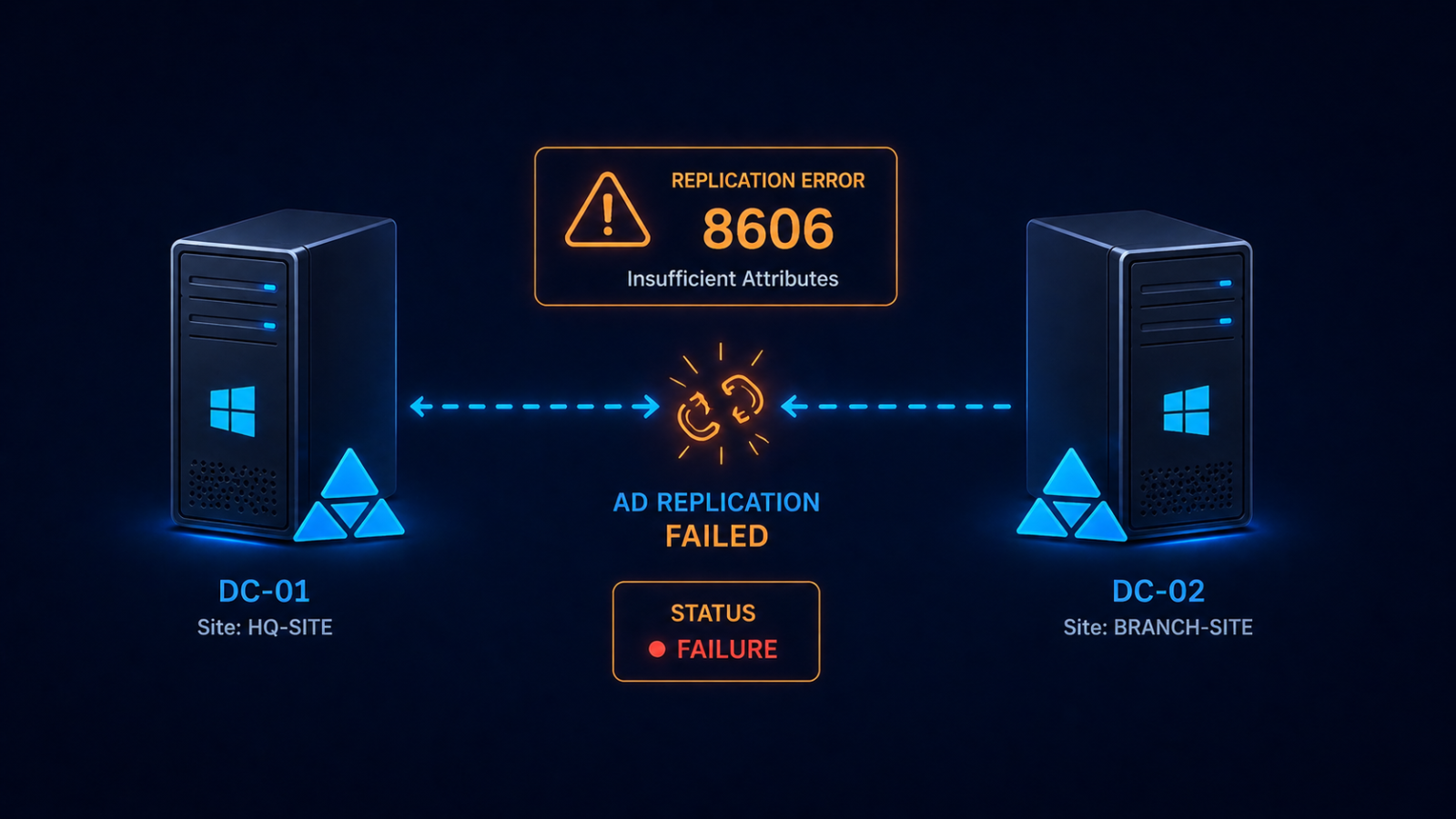
Active Directory replication error 8606 means insufficient attributes were provided to recreate an object on a destination domain controller.
You ran repadmin /showrepl and saw error 8606 staring back at you. Active Directory replication has stopped between two domain controllers, and the symptom is “insufficient attributes were provided to create an object.” This post walks through the four real causes ranked by frequency, the safe fix order, and what to do if the offending DC has been offline too long.
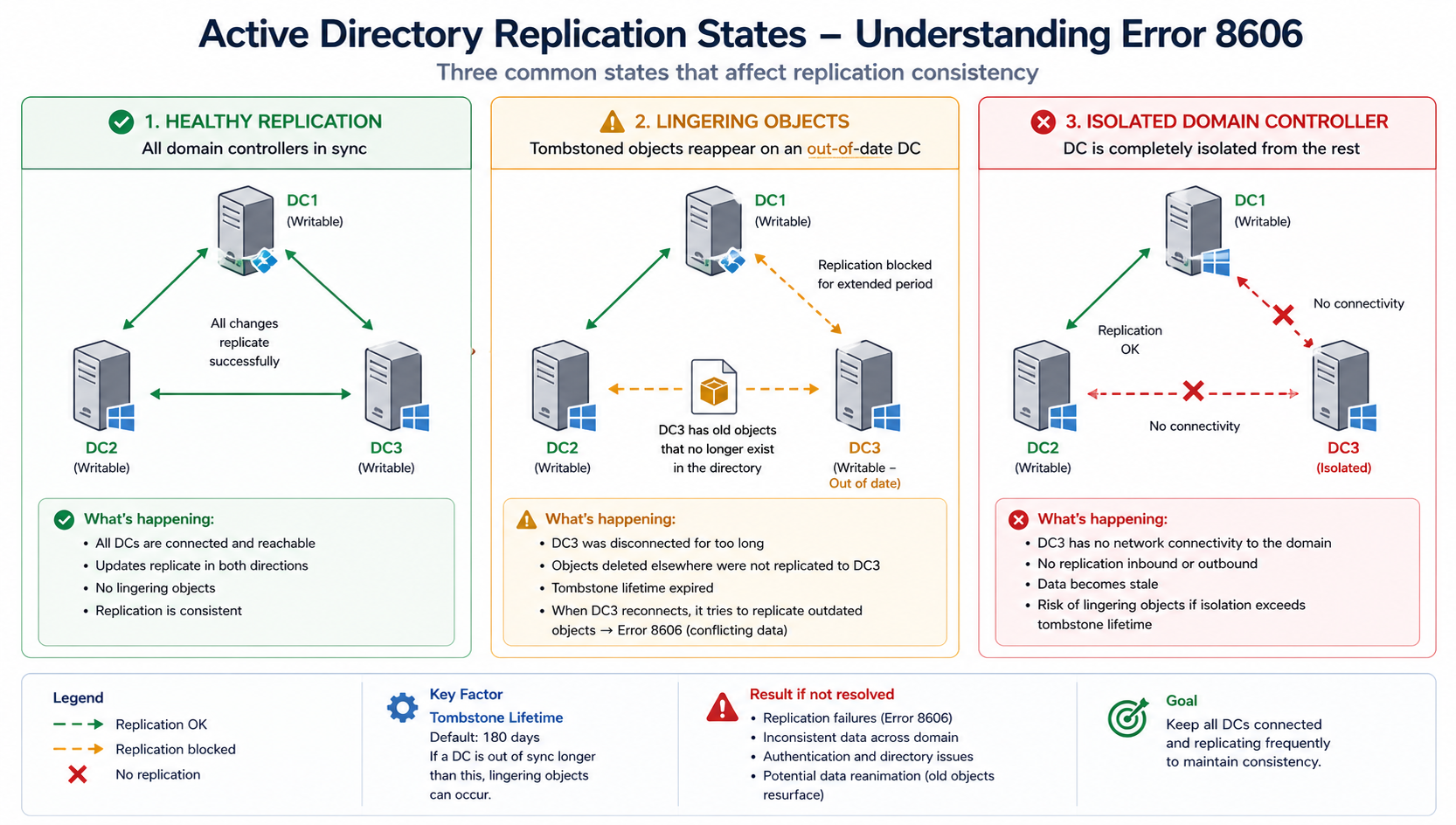
The short version. Error 8606 almost always means a domain controller has been offline longer than the tombstone lifetime (60 days by default in older AD, 180 days in newer) and is now trying to replicate. Lingering objects on the offline DC have not been properly aged out, and the rest of the forest will not accept replication from it because doing so could re-introduce deleted objects. The fix is to either remove the lingering objects with repadmin /removelingeringobjects or, more commonly, demote the offline DC and rebuild it cleanly.
Less commonly, error 8606 surfaces from USN rollback after an improper VM restore, or from time skew exceeding the Kerberos tolerance. Both have specific fixes that this post covers. Do not skip the diagnostic step, replication consistency.
What this error means
Active Directory uses tombstones to mark deleted objects so they can be cleaned up across the forest before being permanently removed. Tombstone lifetime is 180 days for forests created on Windows Server 2008 or later. If a DC is offline longer than tombstone lifetime, objects that were deleted from the live DCs and tombstoned have already been purged. The offline DC still has those objects, and bringing it back online would resurrect them.
To prevent that, the rest of the forest refuses to replicate from the offline DC. Error 8606 is the manifestation of that refusal. The DC sees its peers as unwilling to accept its updates and reports insufficient attributes.
Verified against current Microsoft Active Directory documentation, accessed April 2026.
The four causes, ranked
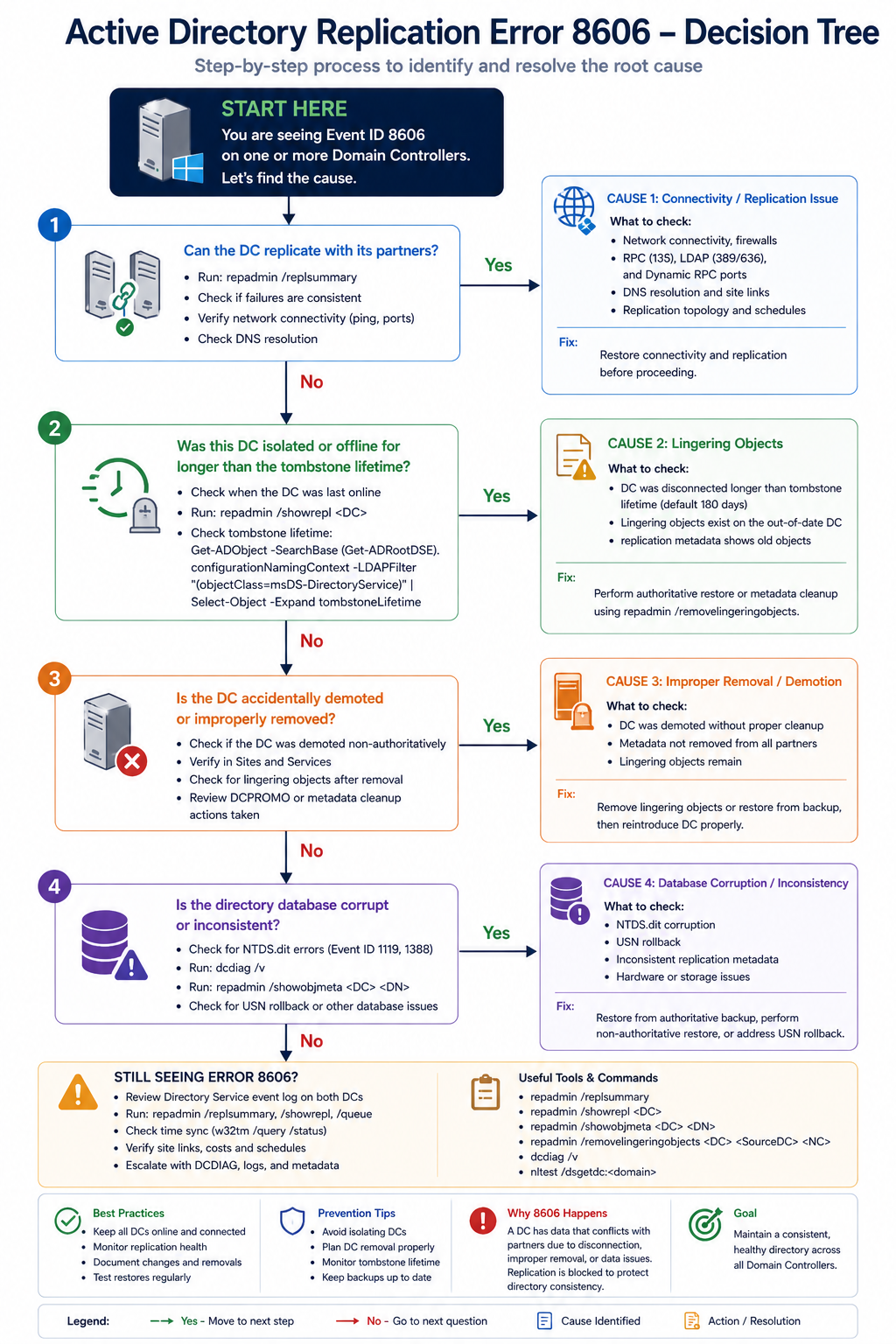
Cause one, DC offline beyond tombstone lifetime, around 60 percent
The DC was shut down, isolated by network failure, or in maintenance and missed the tombstone window. Lingering objects exist and the forest is rejecting replication.
Verify with repadmin /showrepl on the affected DC. If the last successful replication is more than 180 days ago, this is your cause. The safest fix is to demote the DC, clean it up, and re-promote. Alternatively, use repadmin /removelingeringobjects with the right arguments, but this requires confidence and is easier to get wrong.
Cause two, USN rollback from improper VM restore, around 20 percent
Someone restored a domain controller from a snapshot or backup that predated changes already replicated to the rest of the forest. AD’s USN counter rolled backward, which corrupts replication state and produces 8606 errors.
Verify with the Windows event log on the DC, looking for event 2095 (USN rollback detected). If found, the DC is in quarantine mode. Demote and rebuild, do not attempt to recover the existing DC. This rule is non-negotiable.
Cause three, time skew beyond Kerberos tolerance, around 10 percent
The DCs are out of sync by more than 5 minutes (default Kerberos tolerance). Authentication for replication fails, which surfaces as 8606 in some scenarios.
Verify with w32tm /monitor. If skew is high, fix NTP configuration on the DCs. The PDC emulator should be the authoritative time source for the domain.
Cause four, RPC over IP failure or DNS issue, around 10 percent
The DCs cannot resolve each other or cannot complete RPC calls. AD replication uses RPC dynamically allocated ports unless explicitly restricted, and a firewall in between can block the dynamic ports.
Verify with dcdiag /test:dns and dcdiag /test:replications. Fix DNS and verify firewall rules permit AD replication traffic between the DCs.
What the official documentation does not tell you
Microsoft’s article describes the lingering objects fix in technical terms but rarely emphasizes that demote-and-rebuild is almost always faster and safer than running repadmin /removelingeringobjects. The remove-lingering-objects path requires you to identify the authoritative DC, identify the source DC, and run the command for every naming context. Each step has gotchas. Demote, force-remove the DC’s metadata, build a fresh DC, promote. Total time is similar but the failure modes are simpler.
Also, USN rollback is not always obvious. If a hyperconverged platform restored a DC from a snapshot during a maintenance event, the rollback can be silent until replication starts failing days later. Always confirm USN rollback in the event log before assuming a different cause.
The architectural fix
Healthy AD environments share four practices. First, monitor replication daily with repadmin /showrepl output piped to a log review. Catch issues before they reach 60 days, let alone 180. Second, never restore DCs from snapshots without using AD-aware backup tools that handle USN correctly. Third, document the time hierarchy explicitly with the PDC as authoritative. Fourth, avoid having any DC offline for more than two weeks at a stretch. If a DC will be offline longer, demote it and re-promote it later.
FAQ
Will the DC recover on its own?
Only if the cause is transient (DNS, time skew). If the cause is tombstone lifetime exceeded or USN rollback, the DC needs intervention.
Can I extend tombstone lifetime to fix this?
You can, but doing it after the fact does not help. Extending tombstone lifetime only affects future deletions. The current lingering objects are already past the original lifetime.
Is this related to Azure AD Connect?
Indirectly. If on-prem AD replication is broken, Azure AD Connect can fail to synchronize correctly. Fix AD replication first, then verify AD Connect health.
Related posts
Need help with AD recovery
AD replication issues compound quickly and recovery decisions made under pressure can make them worse. Our identity practice handles AD recovery for organizations across Western Canada and we treat 8606 as actionable from minute one. Tell us about the environment and we will help you recover safely.
Last verified April 2026 by the aaanetworkx identity practice.