You opened the vSAN health view and saw a red dot on Object Health, with one or more objects showing as Inaccessible. Workloads on those VMs are either down or running off a stale read-only copy. This post walks through the five real causes of vSAN object inaccessible, ranked by what we actually see, and the safe order to recover without losing data.
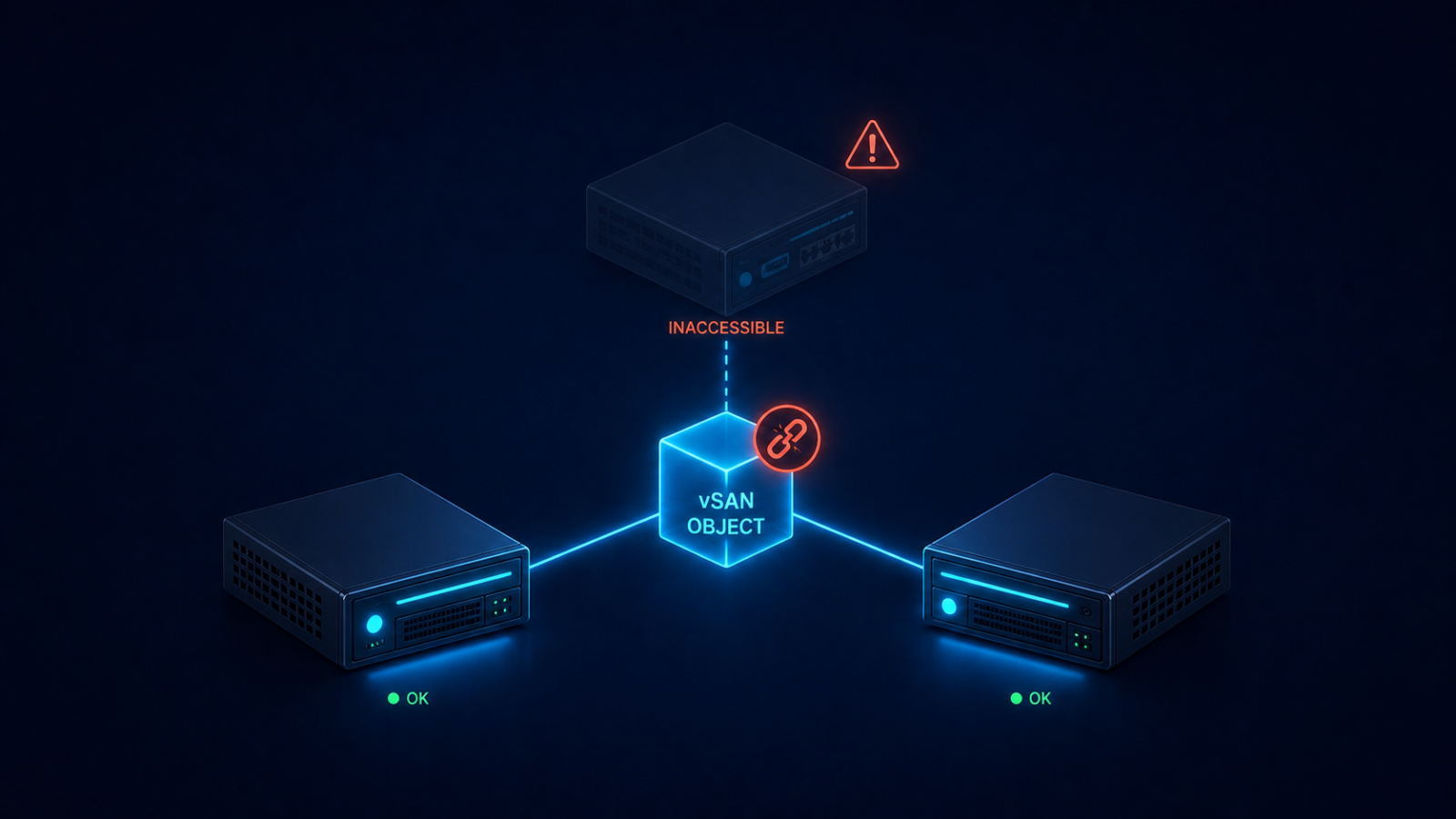
The short version. Object inaccessible means vSAN cannot find enough live components to satisfy the storage policy’s FTT (Failures To Tolerate) for that object. With FTT=1, you need at least one full data copy plus the witness available. Lose two and the object becomes inaccessible. The fix is almost never deleting and recreating the object. The fix is restoring the missing components, which requires understanding which host or disk group is offline and why.
The single biggest mistake we see is admins under pressure deciding to recreate the VM from a backup before vSAN has had a chance to rebuild. If the underlying issue is transient (network partition, host reboot taking longer than expected), vSAN will rebuild on its own once enough components come back online. Patience plus correct diagnosis recovers more workloads than panic plus action.
What inaccessible actually means
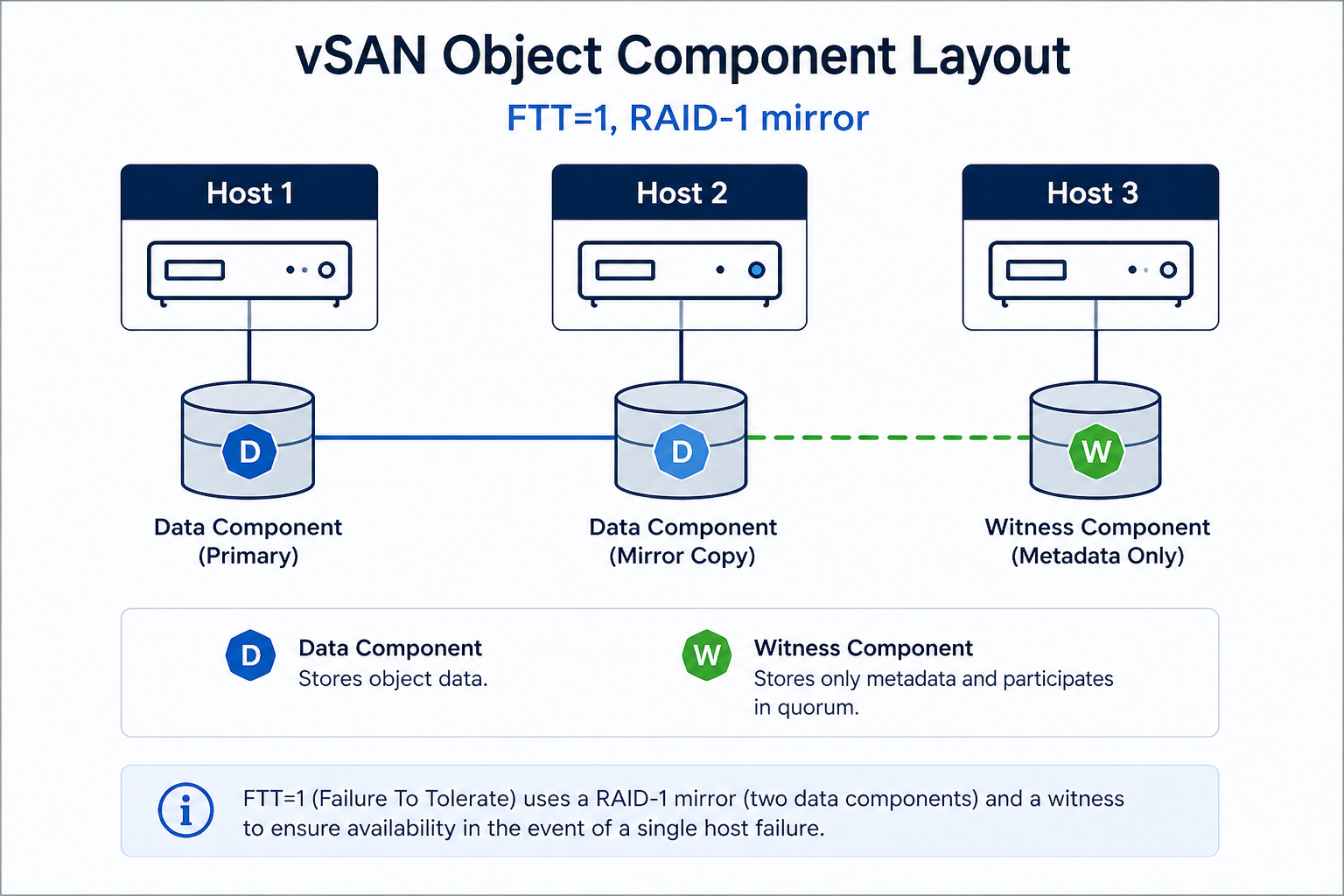
Every vSAN object (VMDK, namespace, swap, etc.) is broken into components according to its storage policy. With FTT=1 and RAID-1, every object has two data components on different hosts and one witness on a third host. The cluster can lose any one of those three and still serve reads and writes. Lose two, and the object goes inaccessible because vSAN can no longer guarantee data integrity by the rules the storage policy requires.
You will see it in three places. The vCenter UI shows the object in red on the vSAN health view. The output of esxcli vsan debug object list on any host shows the object’s components and their state. And your monitoring system flags the affected VM as down or unresponsive.
Verified against current VMware vSAN documentation, accessed April 2026.
The five causes, ranked by what we actually see
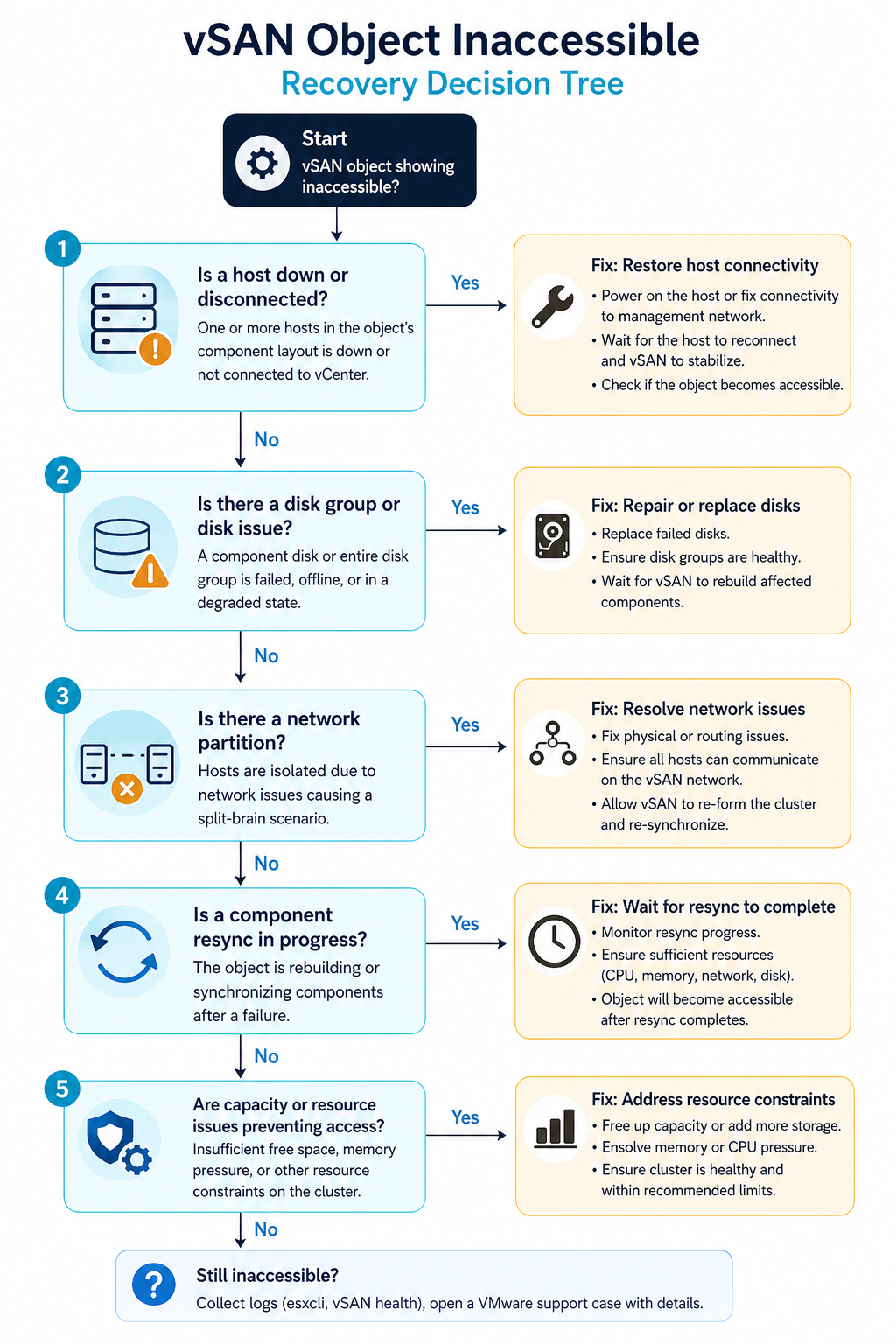
Cause one, host or disk group failure, around 40 percent of cases
One host is offline (hardware failure, hung, in maintenance mode without proper data evacuation) AND another component for the same object is also unavailable. Most common when two hosts go down within the resync window of an earlier event.
Verify with esxcli vsan cluster get on a healthy host. If a host shows as missing or in a different sub-cluster, that is your gap. Bring the host back online before doing anything else. If the host is permanently dead, replace it and let vSAN rebuild components.
Cause two, network partition between hosts, around 25 percent of cases
The hosts are running but cannot talk to each other on the vSAN network. Often a vmkernel port misconfiguration, a VLAN change on the upstream switch, or an MTU mismatch on the vSAN network after a maintenance event.
Verify with vmkping between vSAN vmkernel addresses. If pings fail or fragment, fix the network before touching the cluster. vSAN does not tolerate partitioned hosts without escalating to inaccessible objects.
Cause three, FTT not met by storage policy, around 15 percent of cases
The cluster size dropped (host removed, host failed permanently) and now has fewer hosts than the storage policy’s FTT setting requires. FTT=1 needs at least three hosts. FTT=2 needs five. A four host cluster running FTT=2 cannot satisfy the policy.
Verify with the storage policy assignment for the affected object and the current host count. Either restore the missing host or change the storage policy to a value the cluster can satisfy.
Cause four, capacity exhaustion preventing resync, around 12 percent of cases
vSAN tried to rebuild the missing components but ran out of capacity on the remaining hosts. The cluster is in a degraded state and cannot self-heal until capacity is freed.
Verify with the vSAN capacity view. If utilization is above the slack space threshold (typically 25 to 30 percent reserved), free space by removing snapshots, deleting unused VMs, or adding hosts.
Cause five, witness host issues (stretched clusters), around 8 percent of cases
In a stretched vSAN cluster, the witness host runs at a third site. If the witness is unreachable or has its own outage, all objects in the cluster lose quorum and go inaccessible.
Verify witness reachability with esxcli vsan cluster preferredfaultdomain get and ping tests to the witness vmkernel. Restore the witness or stand up a temporary one.
What the official documentation does not mention
VMware’s docs tell you to check object health and let vSAN heal. They do not warn you that running vmkfstools against an inaccessible object can corrupt the on-disk state in a way that is not recoverable. Do not run any direct manipulation commands against an inaccessible object. Use the supported repair workflow only, which is “fix the underlying cause and let vSAN heal.”
Also, vSAN sometimes shows objects as inaccessible during a normal resync after a planned host evacuation, especially on large clusters with FTT=2. If the object becomes accessible within a few minutes as the resync progresses, no action is needed. Wait at least 60 minutes before assuming an inaccessible object is permanent.
The architectural fix
Clusters that rarely see inaccessible objects have three things in common. First, sized capacity at slack-plus-30-percent so resync always has room. Second, vSAN network monitoring with MTU checks and per-host link health, so partition events are caught before they cascade. Third, FTT chosen relative to host count with margin (FTT=1 on minimum 4 hosts, FTT=2 on minimum 6) so a single failure never threatens the policy. Skip any of these three and you will see an inaccessible object during your next maintenance window.
FAQ
Will the object recover automatically?
Yes, if the underlying cause clears (host comes back, network partition heals, capacity freed). vSAN re-evaluates object health continuously.
Can I recover from backup if the object stays inaccessible?
Yes, but only as a last resort. Restore the underlying issue first, give vSAN time to heal, and only then fall back to backup if the object will not recover.
Is data lost if an object goes inaccessible?
Not necessarily. Inaccessible means the cluster cannot serve the object right now. The data on the surviving components is intact and will be served once enough components are restored.
Related posts
Need help with a degraded cluster
vSAN incidents have a window where calm diagnosis recovers everything and panic recovery loses workloads. Our virtualization team handles vSAN clusters across Western Canada and we are comfortable on the phone at any hour. Tell us your cluster size, FTT, and the symptoms and we will help you recover.
Last verified April 2026 by the aaanetworkx virtualization practice.