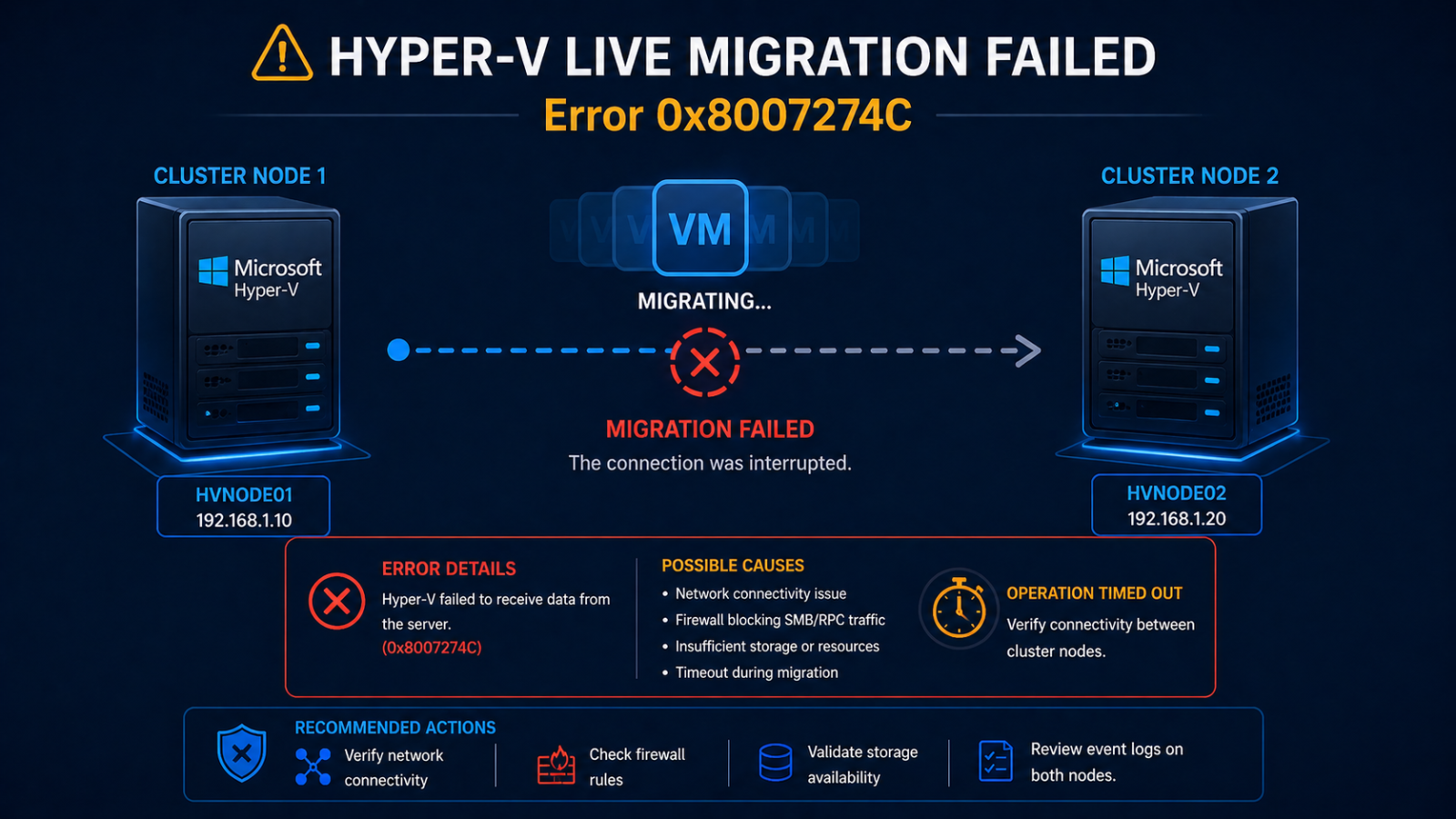
Hyper-V live migration error 0x8007274C means the network connection between cluster nodes timed out during the transfer.
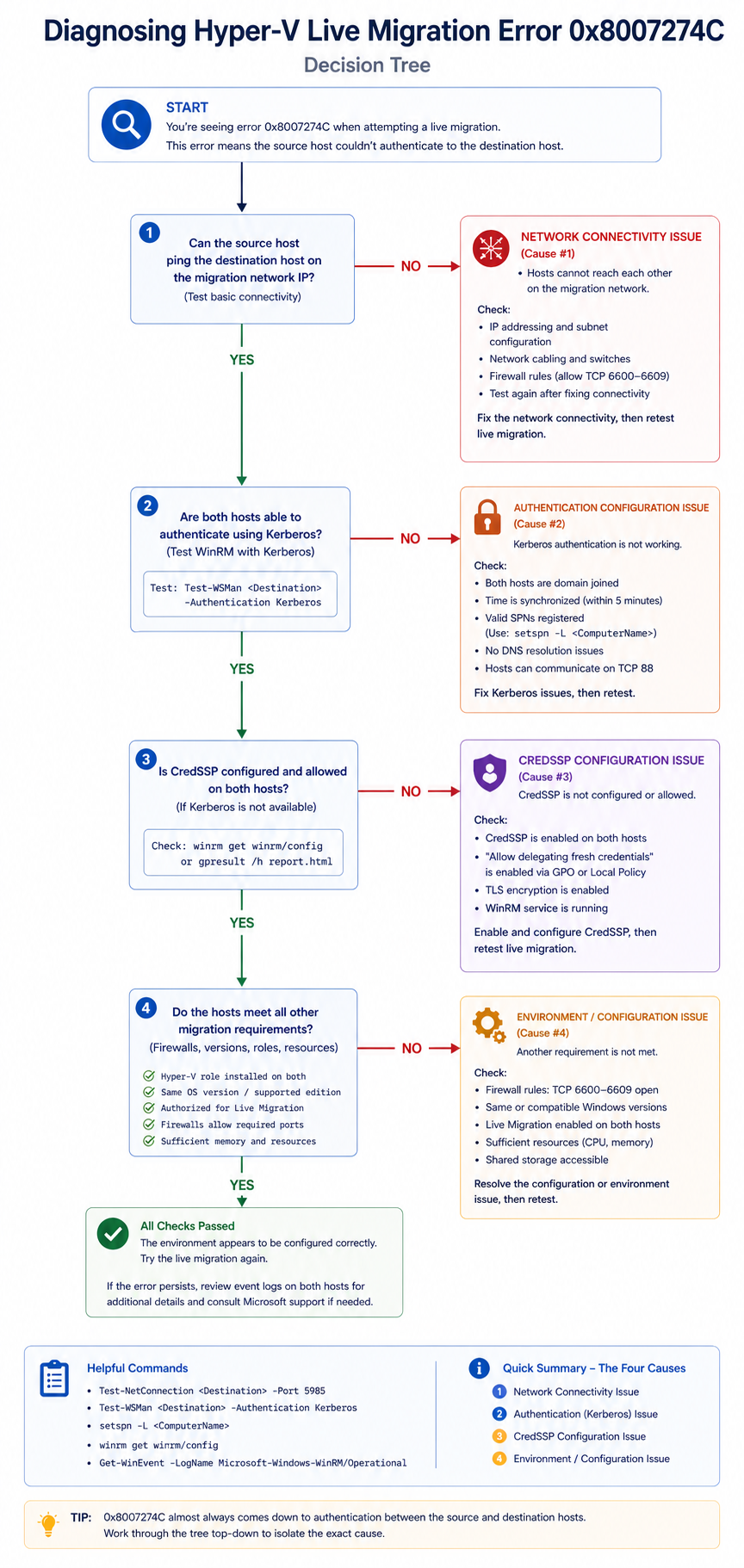
You initiated a Hyper-V live migration in Failover Cluster Manager and got back error 0x8007274C, which translates to “the network connection timed out.” The VM is still running on the source host, but the migration aborted. This post walks through the four real causes of this error ranked by frequency and the verified fix.
The short version. 0x8007274C is a TCP-level connection timeout that surfaces during live migration when source and destination hosts cannot complete the handshake required to start memory transfer. About 40 percent of cases are dedicated migration network configuration issues. Another 30 percent are authentication delegation, specifically Kerberos constrained delegation. The remaining 30 percent split across CPU compatibility (less common at this error code, but possible) and antivirus or third-party agent interference.
The fastest diagnostic is to check the migration network on both hosts and confirm authentication mode matches what is configured at the cluster level. Most “0x8007274C” issues fall out from those two checks, before chasing the deeper timeout issues.
What this error means
Live migration requires the source and destination hosts to authenticate, establish a TCP connection on the live migration network, and begin transferring memory state. If any step fails or times out, Windows surfaces 0x8007274C. The error is generic about which step actually failed, which is why diagnosis requires checking the event logs on both hosts to find the specific phase that hit the timeout.
Verified against current Microsoft Hyper-V and Failover Cluster documentation, accessed April 2026.
The four causes, ranked
Cause one, dedicated migration network misconfiguration, around 40 percent
Live migration is configured to use a specific network, but on one of the hosts that network is not configured, the IP is on the wrong subnet, or the network has lost its association with the live migration role.
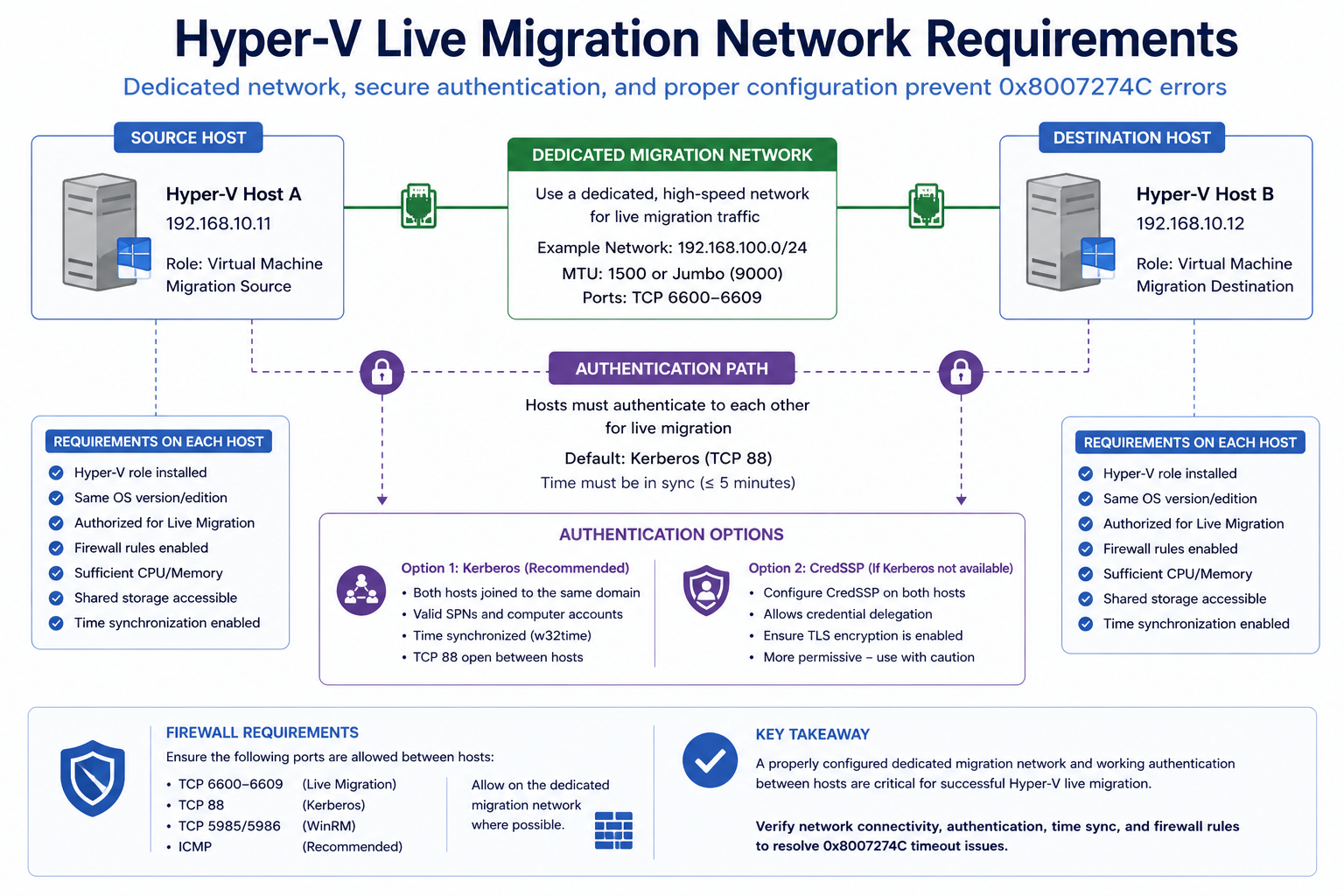
Verify in Hyper-V Manager → Hyper-V Settings → Live Migrations on each host. Confirm the configured networks are present and reachable on both sides. Test connectivity with Test-NetConnection [destination IP] -Port 6600 from PowerShell, since 6600 is the default Hyper-V live migration port.
Cause two, Kerberos delegation incomplete, around 30 percent
If live migration is configured to use Kerberos (recommended over CredSSP for non-interactive sessions), constrained delegation must be set up correctly in Active Directory for each host computer object. Missing delegation entries cause authentication failures that surface as 0x8007274C.
Verify in AD Users and Computers → host computer object → Delegation tab. Confirm “Trust this computer for delegation to specified services only” is set, and that cifs and Microsoft Virtual System Migration Service entries exist for the other Hyper-V hosts in the cluster.
Cause three, antivirus or agent interference, around 15 percent
Endpoint security software on either host is interfering with the live migration TCP connection or the VM file handles being accessed during migration.
Verify by temporarily excluding Hyper-V file paths and processes from the AV (Microsoft has a specific exclusion list documented). If migration succeeds with exclusions, configure them permanently.
Cause four, CPU compatibility or processor flag mismatch, around 15 percent
Less common at 0x8007274C specifically, but possible. The VM has CPU features enabled that the destination cannot provide. Live migration’s compatibility check fails and the connection times out during negotiation.
Verify by checking the VM’s processor compatibility setting and the destination host’s CPU. Enable processor compatibility on the VM if migrating between different CPU generations.
What the official documentation does not mention
Microsoft’s troubleshooting articles cover delegation and network but rarely emphasize that 0x8007274C can also surface from time skew between hosts. If the cluster nodes are out of time sync by more than a few minutes, Kerberos authentication fails silently and the symptom looks like a network timeout. Always check w32tm /monitor as part of the diagnostic, even though the docs do not mention it.
The architectural fix
Hyper-V clusters that rarely see live migration errors share four practices. They use a dedicated, redundant migration network with consistent IP addressing across all nodes. They configure Kerberos constrained delegation as part of cluster onboarding, not after the fact. They document AV exclusions for Hyper-V and apply them via Group Policy. They synchronize time strictly via the PDC emulator. Skip any and live migration becomes unreliable, especially during emergency evacuations.
FAQ
Will the VM be affected?
No. Live migration aborts safely. The VM continues on the source host.
Can I switch to CredSSP to bypass Kerberos issues?
Technically yes, but CredSSP requires interactive sessions and is less secure. Fix the Kerberos delegation instead. CredSSP is a workaround, not a fix.
Is this related to Storage Migration?
Storage Migration is a separate operation but uses similar authentication. The same Kerberos delegation issues can surface there with different error codes.
Related posts
Hyper-V cluster issues during a migration window
Migration windows have time pressure. Tell us the symptom and we will help you isolate quickly.
Last verified April 2026 by the aaanetworkx virtualization practice.