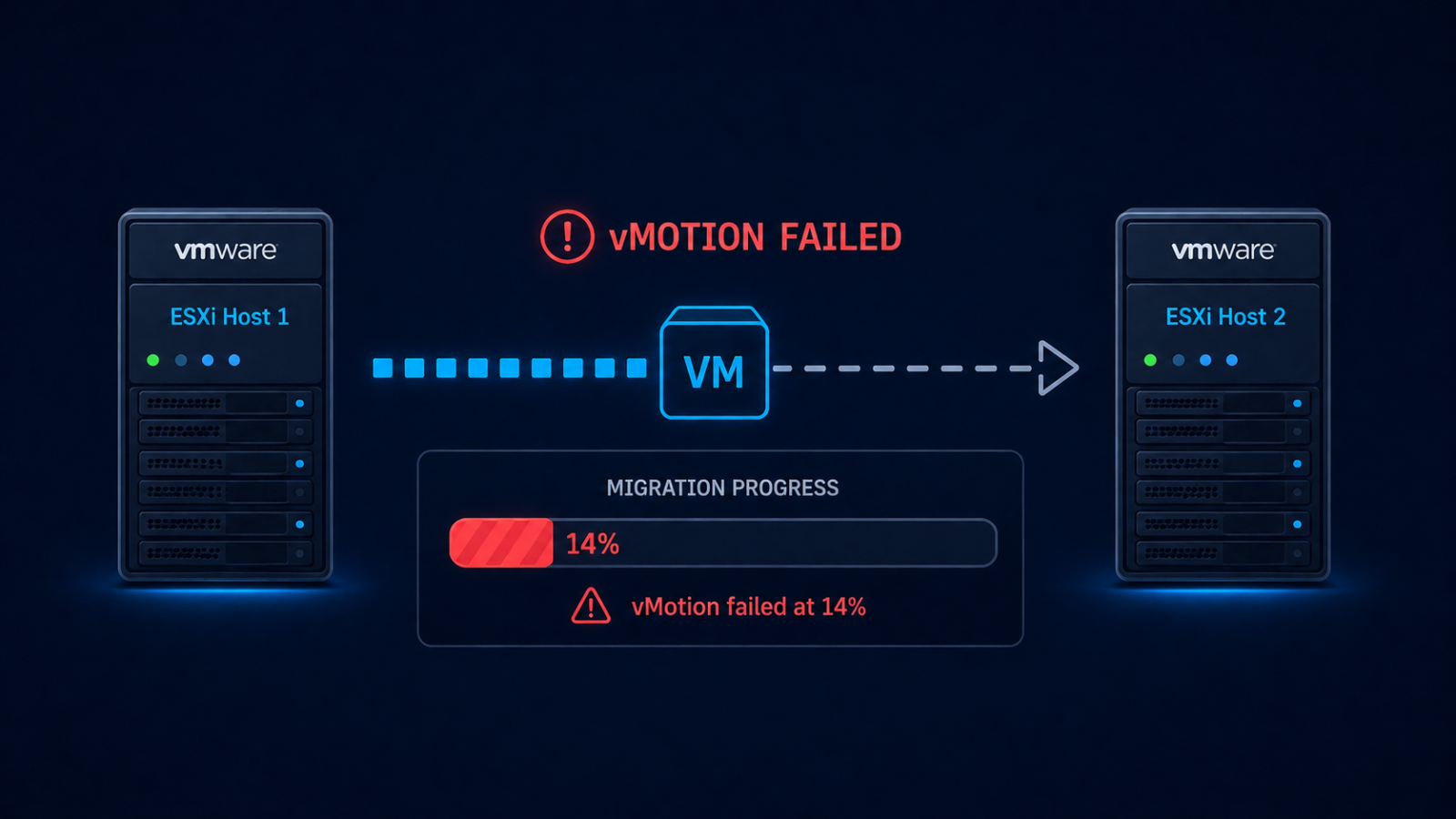
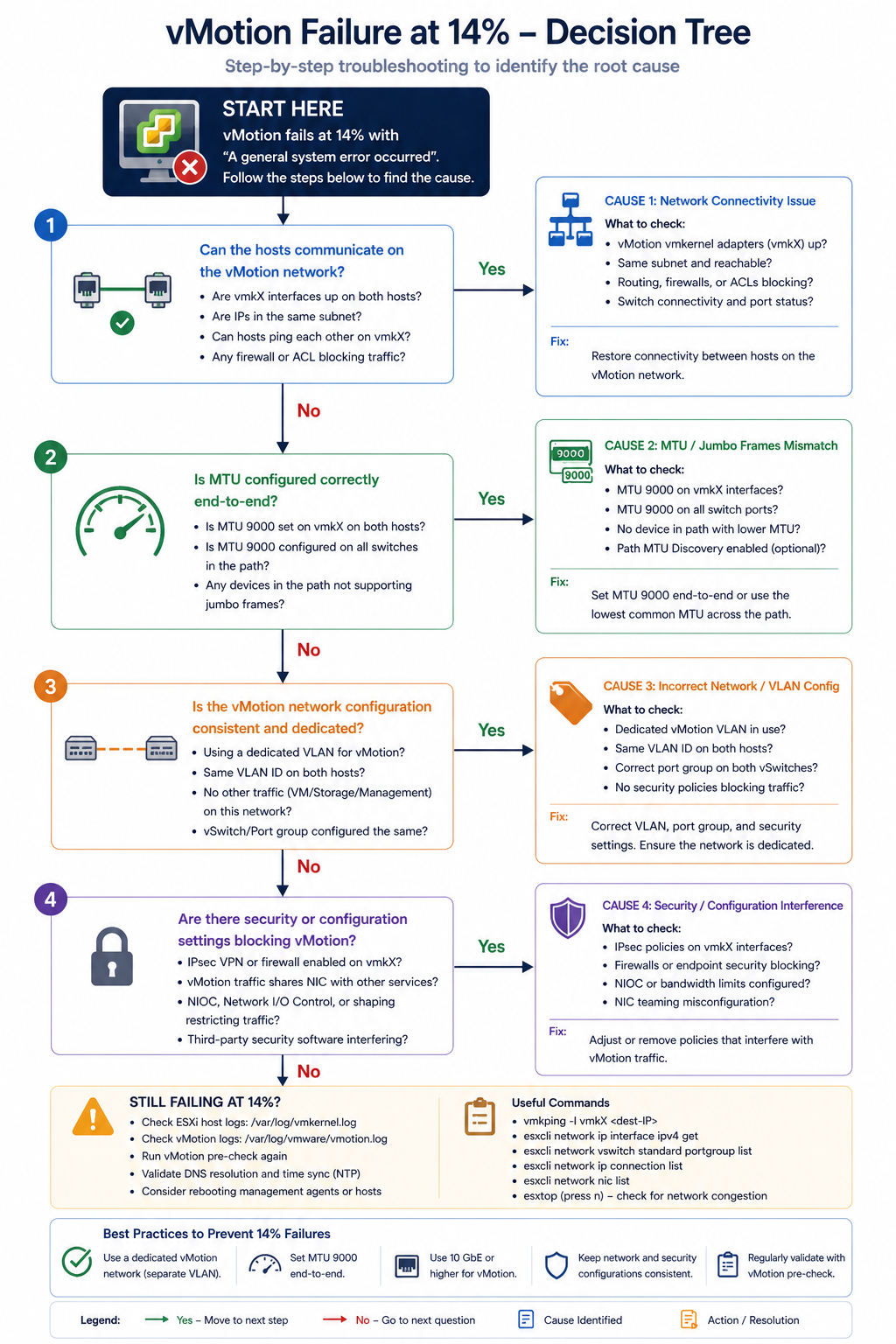
vMotion failed at 14 percent almost always points to a misconfiguration on the vMotion VLAN, and four specific causes account for nearly all cases.
You initiated a vMotion in vCenter, watched the progress bar climb, and then it stopped at 14 percent. The migration failed and rolled back. The VM is still running on the source host, which is good, but you need to know why before retrying or kicking off the broader maintenance plan. This post walks through the four real causes of vMotion failing at 14 percent, ranked by what we see, and the verified fix.
The short version. The 14 percent mark in vMotion is the network preparation phase. The hypervisor has staged the migration logically and is about to start copying memory between hosts. If anything is wrong with the vMotion network (MTU, VLAN, vmkernel configuration, or upstream switch), the migration fails right at this transition. About 50 percent of “failed at 14 percent” cases are MTU mismatch on the vMotion VLAN. Another 25 percent are vmkernel port misconfiguration. The remaining 25 percent split across upstream switch issues and source/destination compatibility.
What this error means
vMotion needs to copy a VM’s memory contents from one host to another while the VM continues to run. The 14 percent mark is when the source host begins sending memory pages to the destination host over the vMotion network. The first connection attempt and bandwidth test happens here. If the test fails (packets drop, MTU is wrong, the destination is unreachable), the migration aborts.
You will see this in vCenter task history with the error “vMotion network performance is poor” or “Network connectivity check failed” alongside the 14 percent failure point.
Verified against current VMware vSphere documentation, accessed April 2026.
The four causes, ranked
Cause one, MTU mismatch on vMotion VLAN, around 50 percent
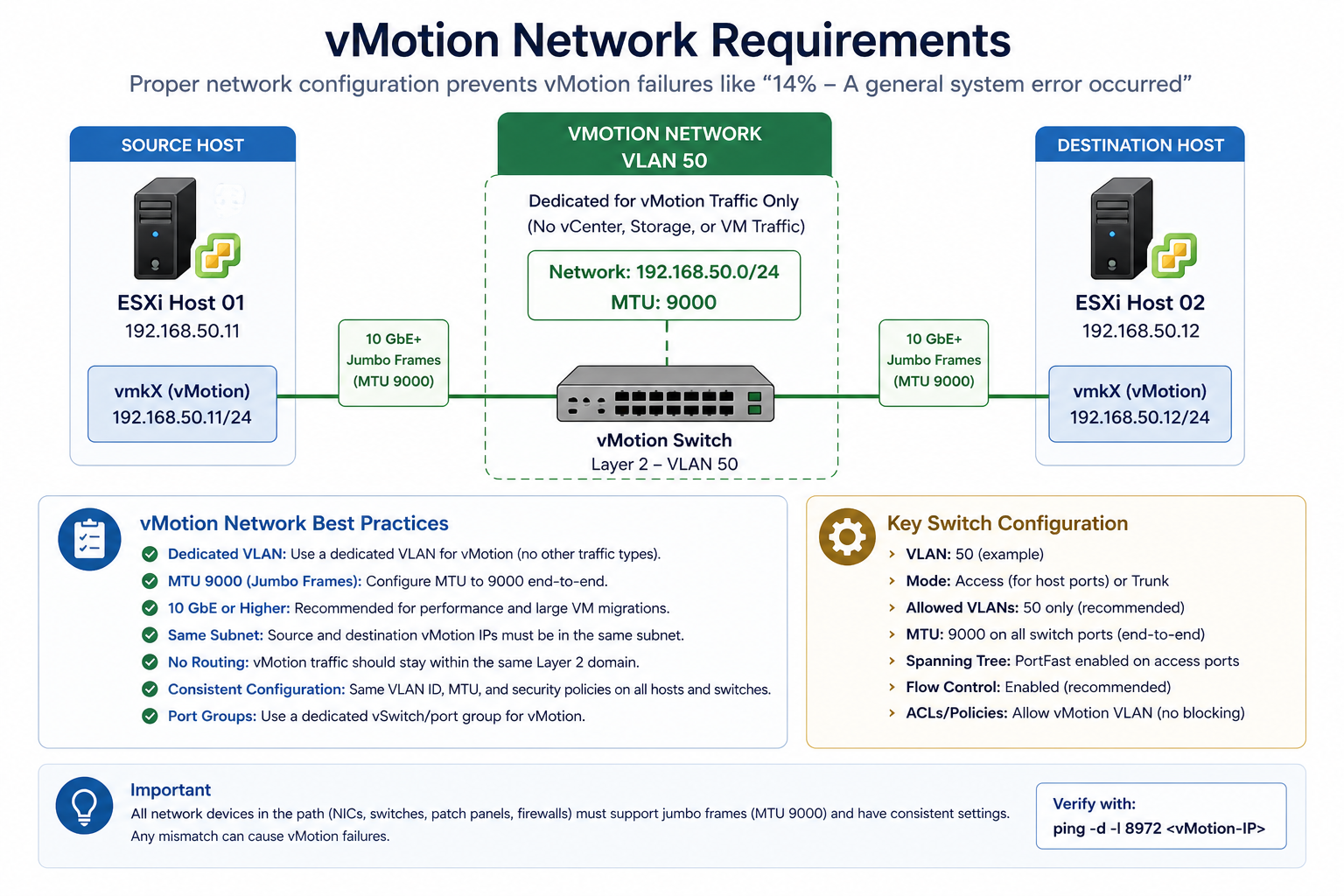
vMotion is typically configured for jumbo frames (MTU 9000) for performance. If the source vmkernel, the destination vmkernel, or any switch port between them is at default 1500, vMotion’s connectivity test packet exceeds the path MTU and gets dropped.
Verify with vmkping -d -s 8972 [destination vmkernel IP] from the source host. The -d sets the do-not-fragment bit and -s 8972 sets the payload size to test MTU 9000 end to end. If the ping fails, you have an MTU issue somewhere in the path. Fix it on the offending hop.
Cause two, vmkernel port misconfiguration, around 25 percent
The vmkernel port for vMotion is missing on one host, configured on the wrong VLAN, or has lost its association with the correct distributed switch portgroup. Common after a host re-add to a cluster or a portgroup rename.
Verify in vCenter under Host → Configure → VMkernel adapters. Confirm a vmkernel exists with vMotion service enabled, on the correct VLAN, with an IP address in the vMotion subnet. Fix any mismatch.
Cause three, upstream switch issue, around 15 percent
The physical switch between source and destination has a configuration issue. VLAN trunking incomplete on a port, port-channel split brain, or storm control kicking in during the bandwidth test.
Verify with the switch’s port configuration for both host uplinks. Confirm vMotion VLAN is allowed on both ports, port-channels are healthy, and storm control thresholds are not aggressive.
Cause four, source/destination compatibility, around 10 percent
EVC (Enhanced vMotion Compatibility) is not enabled, or the destination host has a different CPU generation that vCenter cannot mask. Less common at 14 percent (typically fails earlier in compatibility check) but possible.
Verify cluster EVC mode and CPU compatibility between source and destination. Enable or adjust EVC if needed.
What the official documentation does not mention
VMware’s docs walk through vMotion troubleshooting but rarely emphasize the vmkping with do-not-fragment and exact MTU size as the first command to run. That single command isolates 75 percent of “failed at 14 percent” cases in 30 seconds. Keep it as your reflex when this error appears.
The architectural fix
Clusters that rarely see vMotion failures have three traits. They standardize MTU at 9000 for vMotion VLAN end-to-end and verify after any switch change. They use distributed virtual switches with consistent portgroup configuration across all hosts. They run a synthetic vMotion test as part of monthly health checks, so misconfiguration is caught before a real maintenance window depends on it. The third one matters most. Most “vMotion broke yesterday” issues actually broke weeks earlier and were not noticed.
FAQ
Will the VM be affected if vMotion fails?
No. The VM continues running on the source host. vMotion failures are abort-and-rollback by design.
Can I retry immediately after fixing?
Yes, after confirming the fix with vmkping. No waiting period required.
Is this related to long distance vMotion?
Long distance vMotion has additional considerations (latency, bandwidth, encryption) but the 14 percent failure point is typically still the MTU/network issue, just with more layers between hosts.
Related posts
vMotion failures during a migration window
If vMotion is failing during a planned maintenance window and time is short, our virtualization team can jump in remotely. Tell us the symptom and the topology and we will help you isolate.
Last verified April 2026 by the aaanetworkx virtualization practice.