VMware ESXi Alternatives in 2026: KVM, Proxmox, Hyper-V and What Actually Works in Production
If you have been running VMware ESXi for years, you probably remember when it felt like the obvious choice. It was stable, well-supported and had an ecosystem of tools that made managing virtual machines relatively straightforward. Then Broadcom acquired VMware in 2023, and everything changed.
The licensing shake-up that followed pushed subscription costs through the roof for many organizations. Perpetual licenses were eliminated, partner programs were restructured, and IT teams that had built their entire infrastructure around vSphere suddenly found themselves staring at renewal quotes that did not fit their budgets. For smaller businesses and mid-sized enterprises in particular, the numbers simply stopped making sense.
The good news is that the alternatives have never been better. Whether you are running a small business server room in Edmonton or managing a distributed infrastructure across multiple sites, there are mature, production-ready hypervisors that can handle the job, and in some cases do it better than ESXi ever did.
This guide covers the top VMware ESXi alternatives available today, what each one is actually good at, where the tradeoffs are, and how to think about choosing the right one for your environment.
Why IT Teams Are Reconsidering VMware ESXi
Before jumping into the alternatives, it is worth understanding what changed and why so many organizations are now actively looking for an exit path from the VMware ecosystem.
Broadcom’s acquisition strategy has been clear from the beginning: consolidate enterprise licensing, remove entry-level options, and focus exclusively on large enterprise customers. For organizations running 100 or more virtual machines and paying for vSphere Enterprise Plus, the changes may be manageable. For everyone else, the situation is much harder to justify.
- Perpetual licensing for vSphere was discontinued entirely
- Subscription pricing shifted to per-core models, dramatically increasing costs for many workloads
- Smaller VMware partners lost their certifications or exited the market
- Support quality and response times have declined according to many enterprise IT teams
The result is a wave of migration projects happening across organizations of all sizes. And because the major alternatives have matured significantly over the past few years, many teams are finding the transition less painful than they expected.
The Top VMware ESXi Alternatives in 2026
1. Proxmox VE: The Open Source Powerhouse

Proxmox VE is probably the most talked-about VMware replacement right now, and for good reason. It is a complete, open source virtualization platform built on Debian Linux that supports both KVM virtual machines and LXC containers from a single management interface. The web UI is genuinely good, which is something you cannot say about every open source project.
What makes Proxmox compelling is that it gives you enterprise-grade features without the enterprise-grade price tag. High availability clustering, live migration, Ceph storage integration, backup and restore, and role-based access control are all included at no cost. You can run Proxmox completely free, or pay for a subscription that gets you access to the enterprise repository and commercial support.
What Proxmox does well:
- Runs KVM VMs and LXC containers side by side on the same host
- Built-in clustering and live migration with no additional licensing
- Ceph integration for software-defined storage
- Clean web interface that actually makes sense to navigate
- Strong community and growing enterprise support ecosystem
Where to be careful:
- Very large environments with hundreds of hosts will find it less polished than vSphere in certain areas
- The free tier lacks enterprise repository access, so you depend on community package repositories
- Some third-party backup and monitoring integrations require more configuration work than in the VMware world
Best fit: Small to mid-sized businesses, MSPs managing multiple client environments, and organizations that want serious capability without a serious licensing bill.
2. KVM: The Foundation Everything Else Runs On

KVM, which stands for Kernel-based Virtual Machine, is a virtualization module built directly into the Linux kernel. It is not a standalone product like ESXi. It is the hypervisor engine underneath many of the other options on this list, including Proxmox. Understanding KVM separately matters because many teams choose to deploy it directly using tools like libvirt, QEMU, and either a web-based manager or command-line management depending on their workflow.
KVM powers a significant portion of the world’s cloud infrastructure. Amazon EC2, Google Compute Engine, and most major public cloud providers use KVM or a derivative of it under the hood. That is not a coincidence. It is fast, stable, well-maintained, and deeply integrated with the Linux ecosystem.
What KVM does well:
- Near-native performance for CPU and memory-intensive workloads
- Part of the Linux kernel, so it receives continuous security updates and improvements
- Extremely flexible. You can build exactly the management layer you want around it
- Strong support for Windows guests, including Hyper-V enlightenments for better performance
- Excellent integration with OpenStack, oVirt, and other orchestration platforms
Where to be careful:
- Raw KVM without a management layer is not suitable for teams without strong Linux experience
- There is no single official GUI. You will need to choose a management tool, and each has its own learning curve
- Enterprise support requires going through a distribution like Red Hat Enterprise Linux or SUSE Linux Enterprise
Best fit: Linux-heavy environments, cloud infrastructure teams, and organizations that want to build a custom virtualization stack with full control over every layer.
3. Microsoft Hyper-V: The Windows-Native Choice
If your environment is predominantly Windows, Hyper-V deserves serious consideration. It is included with Windows Server at no additional cost, and it integrates tightly with Active Directory, System Center, and the rest of the Microsoft management stack. For organizations already running Microsoft licensing, the economics are hard to argue with.
Hyper-V has come a long way from its early days. Nested virtualization, shielded VMs for security, Storage Spaces Direct for hyperconverged deployments, and tight Azure integration through Azure Stack HCI have made it a genuinely competitive platform for Windows-centric shops.
What Hyper-V does well:
- Included in Windows Server licensing with no additional hypervisor cost
- Deep integration with Active Directory, Group Policy, and Windows management tools
- Azure hybrid connectivity through Azure Arc and Azure Stack HCI
- Strong support for Windows workloads and licensing compliance
- Familiar management through Windows Admin Center and PowerShell
Where to be careful:
- Linux VM support works but is not as seamless as running Linux on KVM or Proxmox
- System Center Virtual Machine Manager adds cost and complexity if you need it
- Less suitable for mixed or Linux-first environments
Best fit: Windows-heavy organizations with existing Microsoft licensing, businesses already invested in Azure, and environments where Active Directory integration is a top priority.
4. XCP-ng: The Open Source Citrix Hypervisor Fork
XCP-ng is an open source fork of Citrix Hypervisor (formerly XenServer) and it has built a strong reputation as a straightforward, stable ESXi replacement. It is developed by the Xen Orchestra team, which also builds XO, the management interface that pairs with it.
What sets XCP-ng apart is its combination of simplicity and reliability. It does not try to do everything. It focuses on running virtual machines well, with a clean architecture and a management experience through Xen Orchestra that is easy to learn. Many VMware administrators find the transition to XCP-ng more intuitive than moving to Proxmox, partly because the concepts map more directly to how ESXi works.
What XCP-ng does well:
- Clean, purpose-built hypervisor based on the mature Xen architecture
- Xen Orchestra provides a polished web UI with good feature coverage
- Strong live migration and backup capabilities
- Active community and commercial support available through Vates
Where to be careful:
- Smaller ecosystem compared to KVM-based alternatives
- Advanced features in Xen Orchestra require a paid subscription
- Less commonly deployed than Proxmox, so community resources are more limited
Best fit: Teams looking for a clean ESXi-like experience, smaller IT departments that want simplicity over feature depth, and environments that previously ran Citrix Hypervisor.
5. Nutanix AHV: The Enterprise Hyperconverged Option
Nutanix AHV (Acropolis Hypervisor) ships with Nutanix’s hyperconverged infrastructure platform at no additional licensing cost. If you are already running Nutanix hardware or evaluating a move to hyperconverged infrastructure, AHV is worth understanding because it directly replaces the previous requirement to license VMware separately.
AHV is built on KVM but heavily customized and integrated into the Nutanix stack. The management experience through Prism is excellent, arguably better than vCenter for day-to-day operations. The tradeoff is that AHV is tightly coupled to Nutanix hardware and software. You cannot run AHV independently the way you can run Proxmox or KVM.
What AHV does well:
- Included with Nutanix licensing with no separate hypervisor cost
- Deeply integrated with Nutanix storage, networking, and management
- Prism management UI is clean and genuinely user-friendly
- Strong enterprise support with well-defined SLAs
- Built-in microsegmentation through Nutanix Flow
Where to be careful:
- Not a standalone hypervisor. It only makes sense as part of a Nutanix deployment
- Nutanix licensing is a significant cost in its own right
- Lock-in concerns exist, though they are different from VMware’s
Best fit: Enterprises evaluating a full infrastructure refresh, and large environments where the operational simplicity of Nutanix justifies the investment.
Side-by-Side Comparison
| Platform | Cost | Best For | Management UI | HA / Clustering | Enterprise Support |
|---|---|---|---|---|---|
| Proxmox VE | Free / Paid subscription | SMB, MSP, mixed workloads | Built-in web UI | Yes, built-in | Community and commercial |
| KVM | Free | Custom stacks, Linux experts | Third-party required | Via oVirt or others | Via RHEL or SLES |
| Hyper-V | Included with Windows Server | Windows-heavy shops | Windows Admin Center | Yes, via Failover Cluster | Microsoft |
| XCP-ng | Free / Paid XO subscription | Clean ESXi replacement | Xen Orchestra | Yes, built-in | Vates commercial |
| Nutanix AHV | Included with Nutanix | HCI enterprise refresh | Prism | Yes, built-in | Full enterprise SLA |
Which One Should You Choose?
There is no single answer, but there are clear patterns depending on your situation.
If you are a small or mid-sized business looking for the closest thing to ESXi without the cost, Proxmox VE is almost certainly your answer. It has the most momentum in the VMware migration space right now, the community is large and helpful, and the feature set covers everything most businesses actually need.
If your environment is predominantly Windows and you already pay for Windows Server licensing, Hyper-V makes the most economic sense. The integration with your existing Microsoft tools is a genuine advantage, and Azure connectivity is a bonus if cloud expansion is on your roadmap.
If you have strong Linux expertise in-house and want maximum flexibility, building on KVM gives you the most control. Pair it with oVirt for a more vSphere-like management experience, or use Proxmox as a managed KVM deployment.
If you want a simpler ESXi-like experience and your environment is not massive, XCP-ng is worth a serious look, especially if you prefer the Xen architecture over KVM.
If you are planning a full infrastructure refresh anyway, evaluating Nutanix AHV as part of a hyperconverged deployment may reduce your overall operational complexity significantly, at the cost of a higher upfront investment.
Migration Path Considerations
Migrating off VMware is not as simple as installing a new hypervisor and importing your VMs. There are a few things to plan carefully before you start.
VM export formats. VMware uses VMDK disk files and OVF/OVA for portability. KVM-based platforms like Proxmox use QCOW2 or raw images. Tools like qemu-img handle the conversion, but you should test in a non-production environment before touching anything critical.
VMware Tools. VMs running VMware Tools will need those removed and replaced with the relevant guest agent for the new platform. For Proxmox and KVM that means installing the QEMU guest agent. For Hyper-V it means Hyper-V Integration Services. This is straightforward but it requires touching each VM individually.
Networking. If you are running NSX or complex vSphere distributed switch configurations, replicating that network design on a new platform takes careful planning. Proxmox uses Linux bridges and Open vSwitch. Hyper-V has virtual switches. Neither maps directly from vSphere distributed switches, so document your current network design thoroughly before starting.
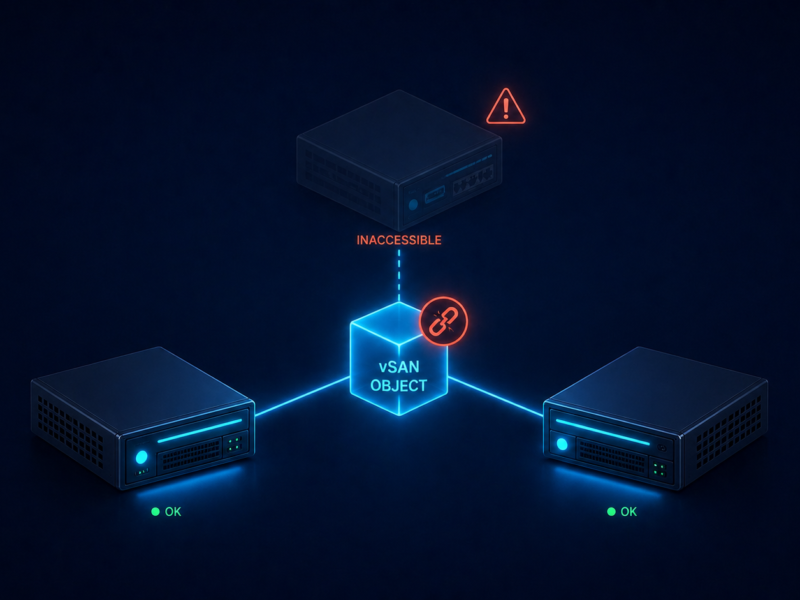
Storage. vSAN does not migrate. If you are using vSAN today, you will need a separate storage plan for the new platform. Proxmox with Ceph is the closest equivalent for software-defined storage. Hyper-V with Storage Spaces Direct is another option.
Phased migration. Most organizations do this in waves. Identify your least critical workloads and migrate those first. Get comfortable with the new platform, build your operational runbooks, then move progressively toward more critical systems. Running both platforms in parallel during the transition adds some complexity but dramatically reduces risk.
Final Thoughts
The VMware ESXi ecosystem dominated enterprise virtualization for two decades because it was genuinely the best option available. That is no longer as clearly true in 2026. The combination of Broadcom’s pricing changes and the maturation of open source alternatives has created a real opportunity for organizations to reduce costs and gain more control over their infrastructure.
The migration is not without effort. It requires planning, testing, and often some retraining. But for most small and mid-sized businesses, the payoff in cost savings and operational independence is worth it.
If you are in Edmonton or anywhere in Alberta and working through a virtualization migration or infrastructure refresh, the team at AAA NetworkX has been through these transitions with clients across a range of industries. We can help you assess your current environment, recommend the right platform for your workloads, and manage the migration from start to finish.