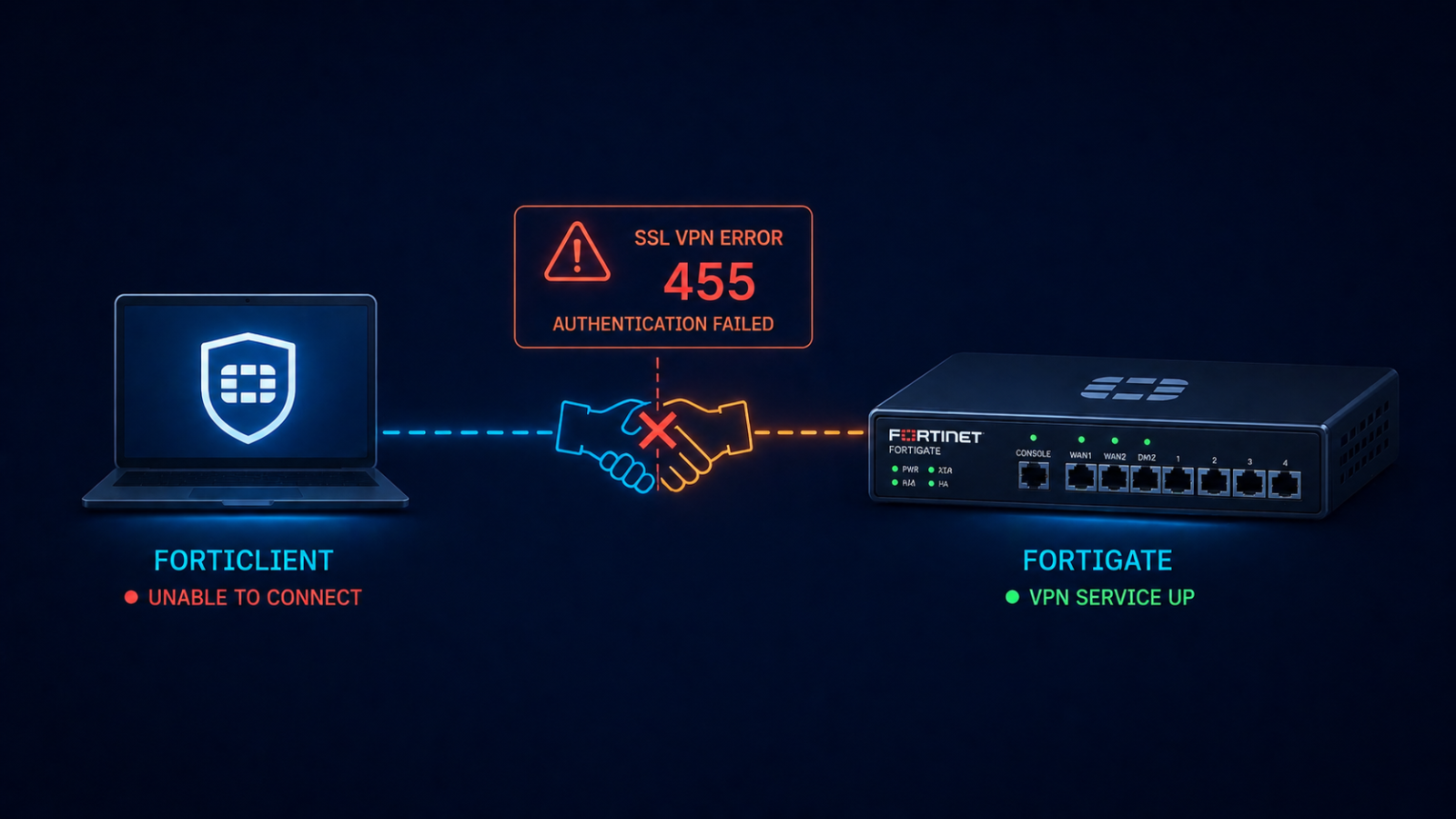
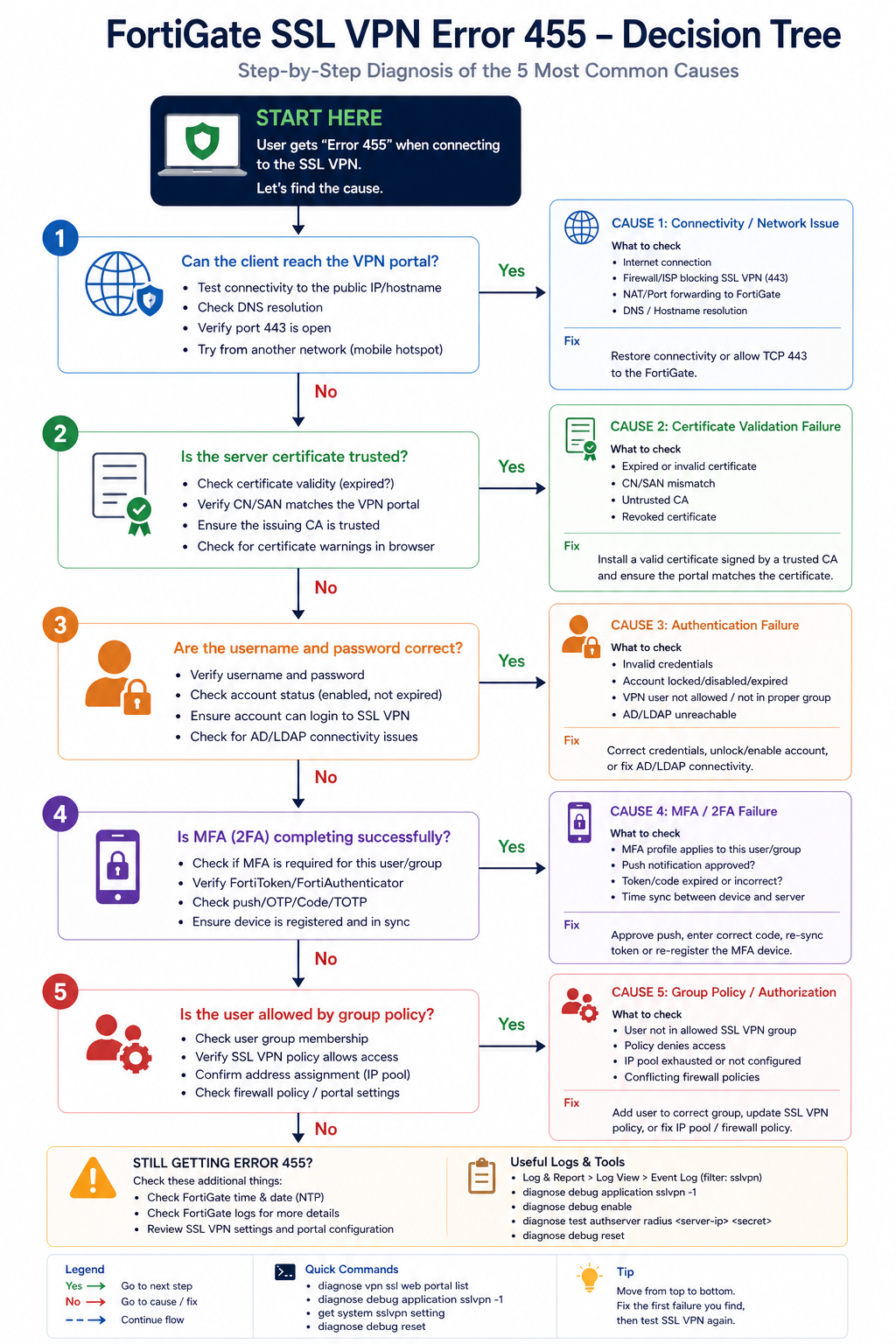
You opened FortiClient, hit Connect, and got back error -455 with no useful detail. The user cannot work, the helpdesk ticket is in your queue, and you need to fix it before the morning standup. This post walks through the five real causes of FortiGate SSL VPN error -455 ranked by frequency and the fix for each.
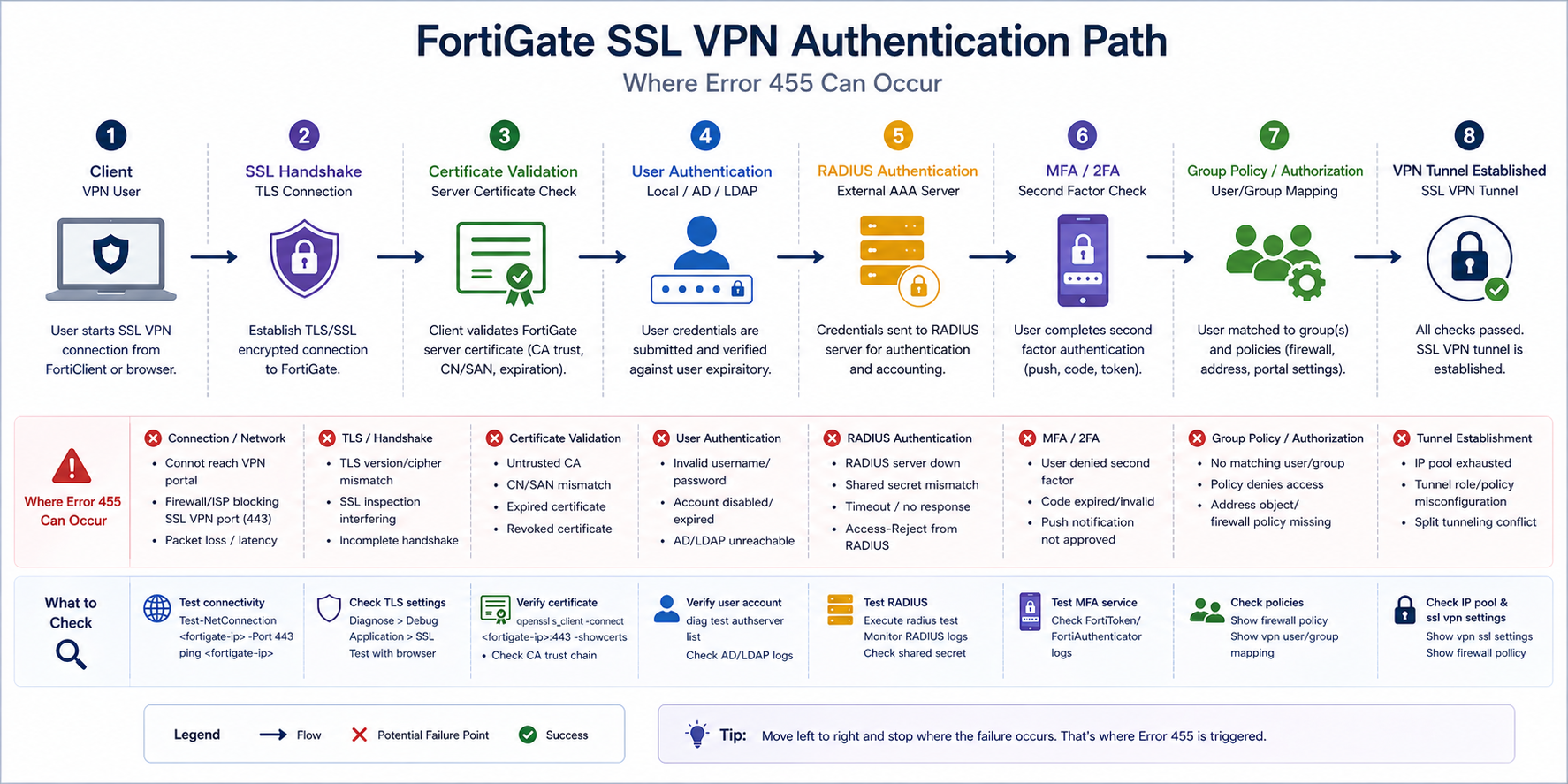
The short version. Error -455 is FortiClient’s way of saying authentication did not complete. The TCP connection succeeded, the SSL handshake started, and then somewhere during user authentication the negotiation failed. The error code is generic on purpose because Fortinet does not want to leak information to attackers about which step failed. Most of the time it is one of certificate validation, RADIUS reachability, MFA timing, or a group policy mismatch where the user does not have permission to connect.
The fastest path to a fix is checking the FortiGate’s SSL VPN log on the firewall side. The log there shows the actual authentication failure reason that the client side does not see, before any handshake fails.
What this error means
FortiClient surfaces a small set of generic error codes for SSL VPN failures, and -455 specifically means “authentication did not complete.” The actual root cause sits in the FortiGate logs at Log & Report → VPN Events. Always start there. The client error tells you something failed. The firewall log tells you what.
Verified against current Fortinet FortiOS 7.x documentation, accessed April 2026.
The five causes, ranked
Cause one, certificate validation failure, around 30 percent of cases
The FortiGate SSL VPN portal certificate is expired, untrusted by the client, or has a hostname mismatch. FortiClient strict mode rejects the connection. Often happens after a certificate renewal where the new cert was installed but FortiClient was deployed with cert pinning to the old one.
Verify by visiting the SSL VPN web portal in a regular browser. If the browser shows a certificate warning, fix the certificate. Use a publicly trusted CA (Let’s Encrypt, DigiCert, etc.) or push your internal CA to client trust stores.
Cause two, RADIUS server unreachable or slow, around 25 percent of cases
The FortiGate authenticates users via RADIUS to AD or another directory. If the RADIUS server is down or responses are too slow, FortiGate times out the authentication and FortiClient sees -455.
Verify on the FortiGate with diagnose test authserver radius [server-name] [user] [pass]. If the test fails, fix RADIUS reachability. Common issues: firewall rule blocking UDP 1812, RADIUS shared secret drift, or the AD server being overloaded.
Cause three, MFA timing or token issue, around 20 percent of cases
Multi-factor authentication is enforced on the SSL VPN, the user did not approve the push or enter the OTP in time, and FortiGate rejected the auth. This often surfaces as -455 even though the underlying cause is MFA timeout.
Verify in the FortiGate VPN events log. If the event shows MFA timeout or denial, the fix is user-side (approve faster, enter OTP correctly) or configuration-side (extend the MFA timeout window if too aggressive).
Cause four, user not in allowed group, around 15 percent of cases
The user authenticates correctly but is not a member of the AD/LDAP group the FortiGate’s SSL VPN policy requires. The error surfaces as -455 because authorization failed even though authentication succeeded.
Verify by checking the user’s group membership in AD and the FortiGate SSL VPN policy’s matched groups. Add the user to the right group and retry.
Cause five, FortiClient version incompatibility, around 10 percent of cases
An older FortiClient version is incompatible with the FortiOS version on the firewall, or vice versa. After a firewall upgrade, older clients sometimes fail with -455 because of TLS or feature mismatches.
Verify the FortiClient version against the FortiOS compatibility matrix. Upgrade FortiClient if behind. Avoid running older clients indefinitely once FortiOS has been upgraded.
What the official documentation does not mention
Fortinet’s KB articles describe -455 in general terms but rarely emphasize that the firewall log is the only place to find the real reason. Many helpdesks debug from the client side first, which costs an hour. Check the firewall log on every -455, every time. Also, FortiGate has a per-user authentication failure log that is rate-limited by default. If you cannot find the failure, increase the log verbosity temporarily on the FortiGate side and retry.
The architectural fix
Organizations that rarely see -455 do four things. First, monitor the SSL VPN portal certificate expiration with alerts at 60, 30, and 7 days. Second, monitor RADIUS server response time so they know when AD authentication is slow before users complain. Third, document the AD groups required for SSL VPN access in the user onboarding playbook so new staff are added correctly. Fourth, standardize FortiClient deployment via configuration management so version drift does not produce mystery -455 incidents.
FAQ
Will reinstalling FortiClient fix it?
Sometimes for the version incompatibility case. Otherwise no, the fix is on the firewall or RADIUS side.
Is -455 the same as -7200 or -8?
No. Different error codes mean different failure points. -455 is auth, -8 is general connection, -7200 is policy. Check the specific code, not just “VPN error.”
Should I switch to IPsec to avoid this?
Not for this issue. IPsec has its own error patterns. Pick SSL or IPsec based on user experience and platform requirements, not because of -455 specifically.
Related posts
VPN issues that keep coming back
If your organization has recurring SSL VPN authentication issues, the underlying cause is usually drift between firewall, AD, and client configuration. Tell us about your environment and we will help you stabilize remote access.
Last verified April 2026 by the aaanetworkx security practice.