Cybersecurity Edmonton law firms need in 2026 has tightened around three control sets the Law Society and your insurer both expect.
If you are a managing partner at an Edmonton law firm and you have been thinking about cybersecurity lately, it is probably because you read about another firm getting hit. Probably ransomware. Probably a firm of similar size to yours. Probably last quarter or last month. The headlines have been steady for two years, and the trend is not slowing down. This post walks through what actually matters for a small to mid sized Edmonton law firm in 2026, what the threats really look like, what the Law Society is starting to expect, and what a reasonable baseline costs.
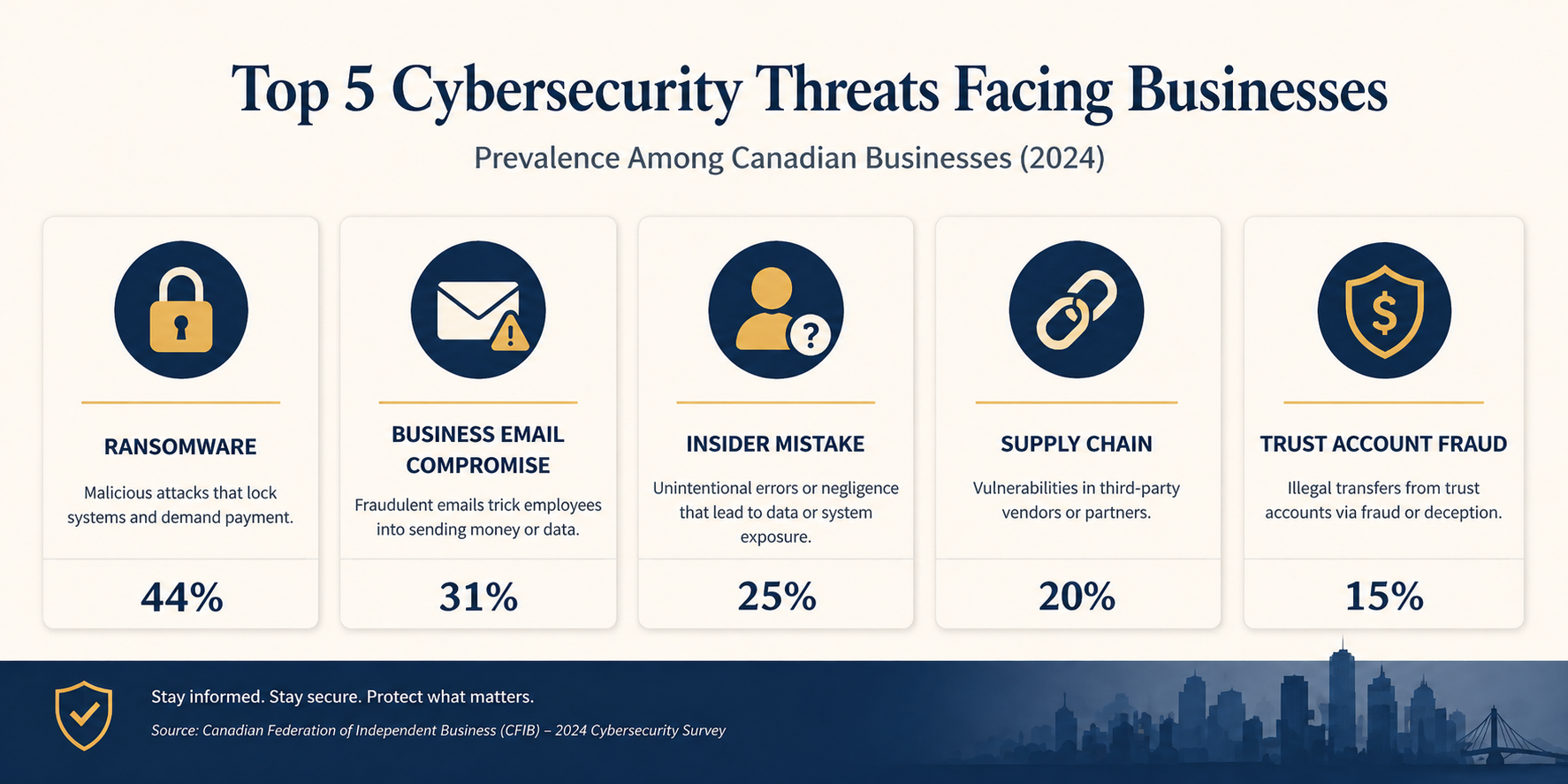
The short version. Law firms are a top three target sector for ransomware in Canada because attackers correctly assume firms have the budget to pay, the time pressure of client deadlines, and a low tolerance for public reputational damage. The good news is that the controls that actually stop the attacks we see are not exotic. They are well understood, available off the shelf, and within the budget of a 10 person firm. The harder part is implementing them consistently and keeping them in place. That is the work.
Why law firms specifically
Three things make law firms unusually attractive to attackers compared to other professional services.
First, the data is high value. M&A files, settlement documents, IP filings, divorce records, criminal defence material. All of it commands either ransom value (the firm will pay to keep it from leaking) or direct sale value on dark web markets.
Second, the trust account makes you a fraud target. Wire transfer fraud schemes targeting real estate closings have hit dozens of Alberta firms in the last three years. Attackers monitor email for closing dates, then send a perfectly timed fake instruction to redirect funds. Settled cases in Canada show losses ranging from $80,000 to over $1 million per incident.
Third, firms have client deadlines and court dates. Attackers know that downtime during a trial week or a closing window has unique leverage, which raises the price you will pay to recover quickly. Together, these three factors make legal one of the most attacked verticals in Canada.
What Edmonton law firms actually need
The Law Society of Alberta has been steadily increasing its expectations around technology competence and client confidentiality. The Code of Conduct already obligates lawyers to take reasonable steps to protect confidential information, and recent guidance has been more specific about what reasonable means in a digital context. PIPA (Alberta’s Personal Information Protection Act) adds breach notification obligations once personal information is involved, with timelines measured in days, not weeks. FINTRAC compliance adds further reporting obligations for any firm handling real estate trust funds.
None of these regulations dictate specific tools. They dictate outcomes. So the question for a partner is not “what does the Law Society require?”, it is “what controls would I be embarrassed to be missing if a breach happened tomorrow and the regulator asked?” That answer is more or less the same for every firm regardless of firm size.
The baseline that catches 90 percent of real attacks
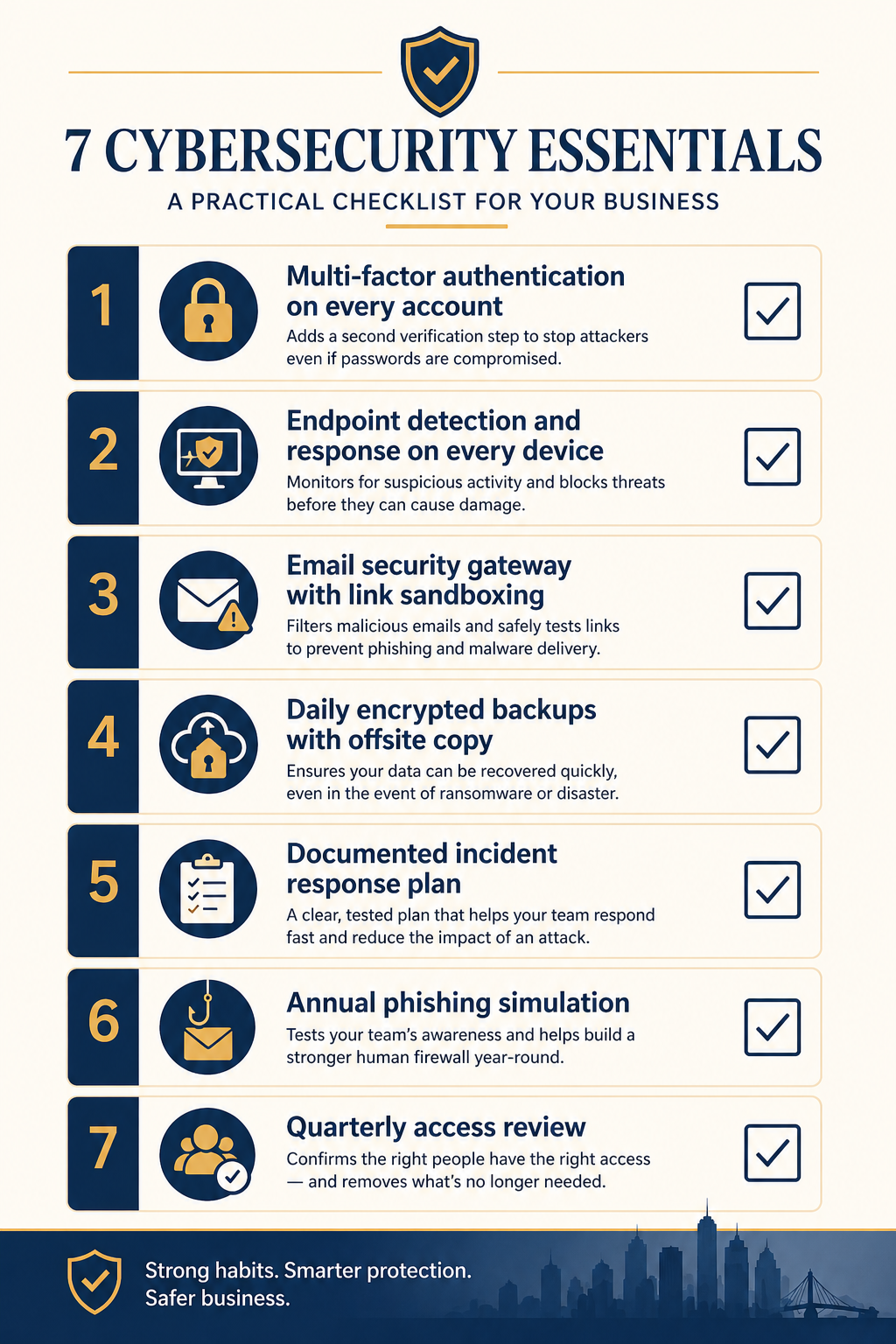
1. Multi-factor authentication on every account, no exceptions
The single highest impact control. MFA on Microsoft 365, on your practice management software, on remote access, on the trust accounting system. The exception list should be empty. We see firms that have it on most accounts but excluded the senior partner because she finds it annoying. Attackers know exactly which accounts get exclusions and target them first.
2. Endpoint detection and response on every device
The next generation of antivirus. Tools like Microsoft Defender for Endpoint, SentinelOne, or CrowdStrike that actually detect and stop ransomware in progress, not just match known signatures. Every laptop, every desktop, every server. Including the one in the back office that nobody touches.
3. Email security gateway with link sandboxing
The native Microsoft 365 spam filter is good but not enough. Add a layer that opens every link in a sandbox before delivering and that flags business email compromise patterns. This is the single biggest defence against the wire transfer fraud schemes targeting trust accounts.
4. Daily encrypted backups with an offsite copy
If ransomware does get in, backups are what saves you. Daily, encrypted, with one copy that is physically or logically offsite (immutable cloud storage works). Test the restore quarterly. Untested backups have failed at the worst possible moment for at least three Alberta firms I know of.
5. A written incident response plan
Two pages, max. Who calls who when something goes wrong, what gets disconnected, what gets reported and to whom (Law Society, PIPA, insurer, client, FINTRAC if applicable), where the offline backups live. The plan does not need to be sophisticated. It needs to exist on paper, before the incident, so nobody is making decisions in panic.
6. Annual phishing simulation
Once a year, send a simulated phishing email to every staff member. Track who clicks. Train the people who click. The point is not to shame anyone, it is to keep awareness fresh and to give you a metric that improves over time. Click rates above 15 percent indicate the firm needs more frequent training.
7. Quarterly access review
Review who has access to what every quarter. Remove access for departed staff (it is shocking how often this gets missed for months). Tighten permissions on shared drives so junior staff do not have read access to senior partner files they should not see. This is mostly a process discipline, not a technology investment.
What it actually costs
For a 10 to 25 person Edmonton firm, the entire baseline above runs roughly $80 to $150 per user per month, all in. That covers Microsoft 365 Business Premium licenses (which include MFA and Defender), an email security gateway, backup tooling, the EDR layer, and a managed service relationship that runs the phishing simulation and quarterly access review for you.
Compare that to the cost of an actual incident. The most recent IBM Cost of a Data Breach Report puts the average total cost of a breach in the legal sector around USD 4.5 million globally. For an Alberta firm, the local reality is smaller but still painful. Settled ransomware incidents we have seen at Edmonton-area firms range from $40,000 (small firm, paid ransom plus recovery) to over $400,000 (mid sized firm, did not pay, took six weeks to recover, lost two clients). Those numbers do not include reputational damage or potential Law Society discipline.
The math is rarely close. Spending $20,000 a year to avoid a $200,000 incident with even a 20 percent annual probability is just risk management arithmetic. Most partners I talk to have not done this calculation explicitly, and most are surprised at how favourable it is.
What we see firms get wrong
Three patterns repeat. First, partial deployments. MFA on most accounts, EDR on most laptops, backups on most servers. The gap is always where the attacker enters. Coverage matters more than sophistication. Second, the IT generalist trap. Many firms rely on a friendly local IT generalist who is good at fixing printers but has never investigated an incident. Cybersecurity is a different skill set, and the gap shows up under pressure. Third, the once-and-done mindset. Firms install the tools, check the box, and never review them again. Attackers do not stop evolving, so neither can your defences.
FAQ
Does cyber insurance cover ransomware payments?
Sometimes, but coverage has tightened significantly. Most insurers now require evidence of MFA, EDR, and tested backups before they will quote, and many exclude ransomware payments outright if those controls are missing. Insurance is a backstop, not a substitute for the baseline.
We use a cloud practice management system, are we covered?
The cloud system handles its own infrastructure security, but your accounts on it are still your responsibility. MFA on every login, regular access review, and the email and endpoint controls above all still apply. Cloud does not transfer risk, it just changes which parts you control.
How fast can a baseline be implemented?
For a firm starting near zero, a competent team can deploy the full baseline above in 30 to 45 days without disrupting practice. For a firm that already has Microsoft 365 Business Premium, often two to three weeks.
Related posts
- Cybersecurity for Edmonton Accounting Firms
- HIPAA Network Segmentation Requirements
- PCI-DSS for Edmonton Retail WiFi
If you are a partner reading this
You probably already know your firm has gaps. The question is what is sitting open right now and how exposed you are to the specific attack patterns hitting Alberta firms this year. Our team works with several Edmonton firms in your size range and we can do a focused 90 minute assessment that produces a one page priority list, no commitment.
Book a free 90 minute cybersecurity assessment for your firm. We will come to your office, walk through the seven controls above with whoever you want in the room, and leave you with a written priority list you can act on with or without us.
Last verified April 2026 by the aaanetworkx cybersecurity practice. Edmonton, Alberta.