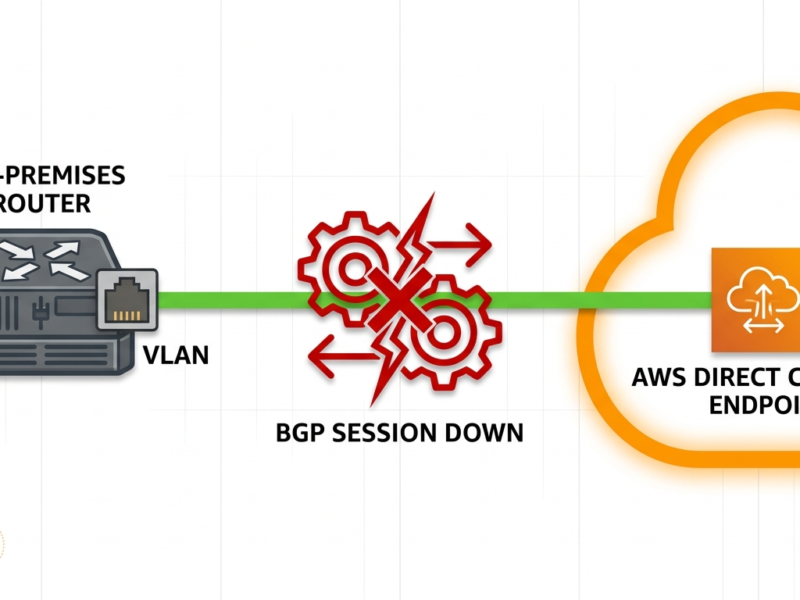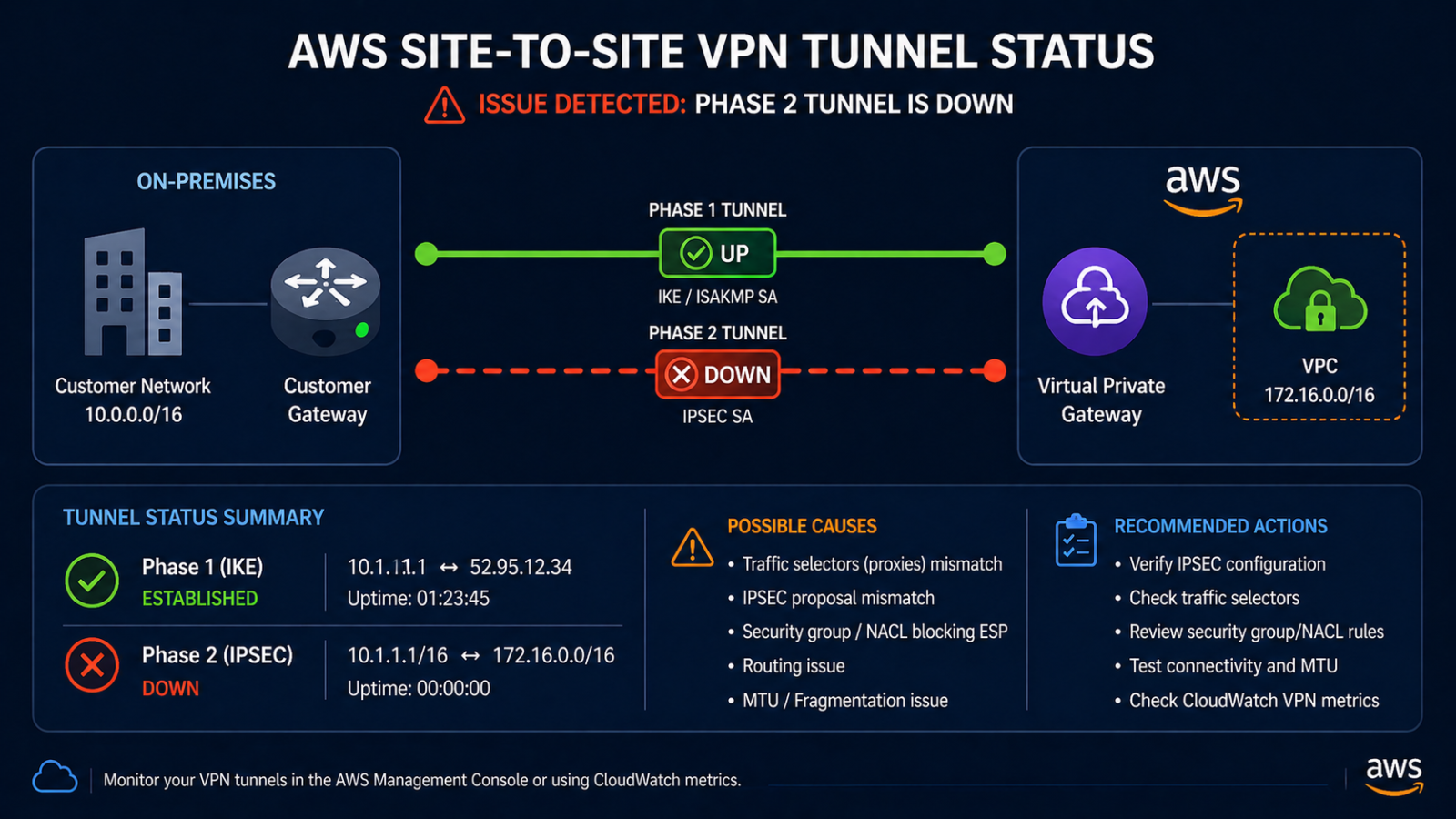
AWS VPN tunnel Phase 2 down means the IPsec security associations cannot establish, and the AWS console only shows you a fraction of the story.
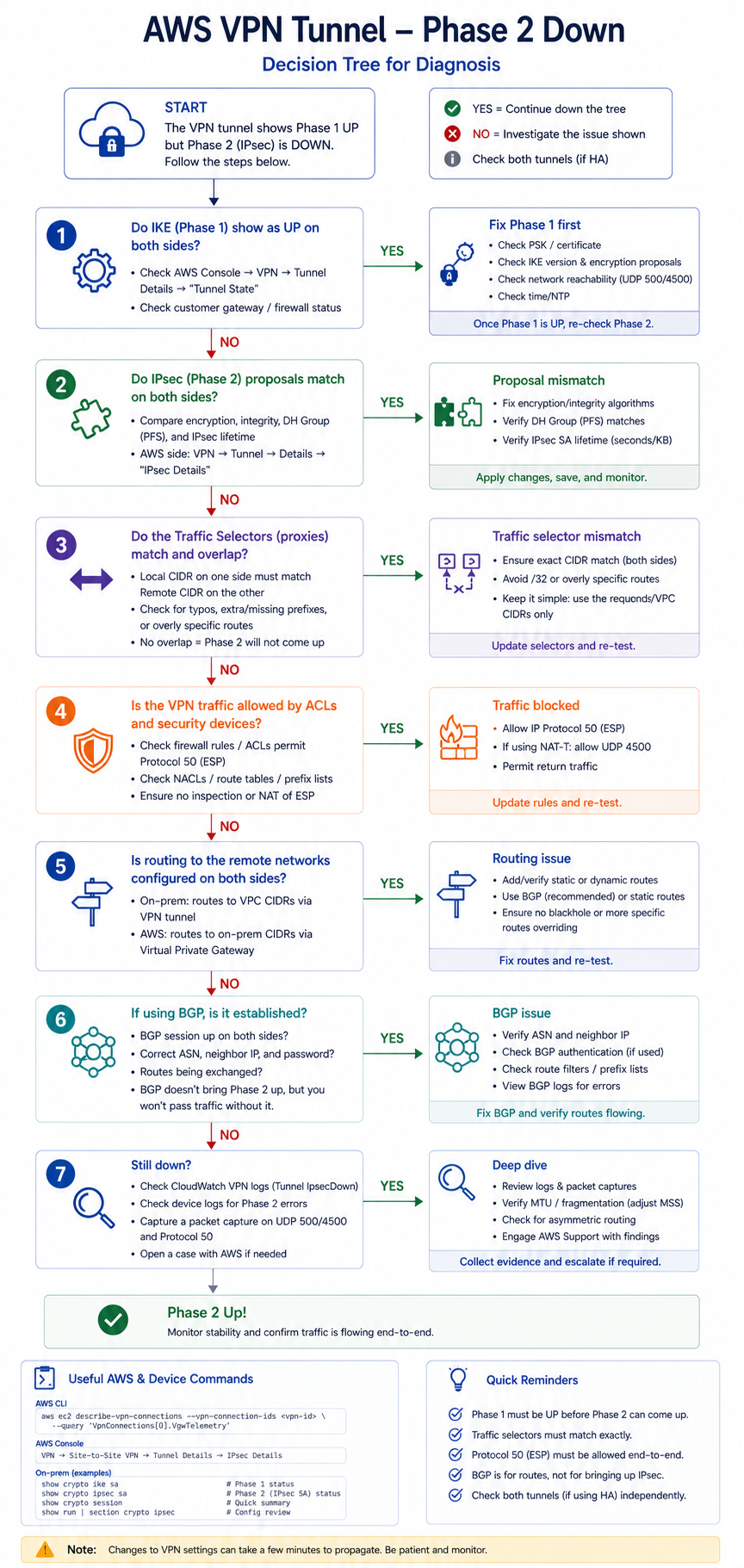
You configured an AWS Site-to-Site VPN, both Phase 1 came up, but Phase 2 is showing down on the AWS console. Traffic is not flowing between the on-premises network and the VPC. This post walks through the four real causes of AWS VPN Phase 2 down ranked by frequency, the diagnostic order, and the verified fix.
The short version. Phase 2 establishes the actual IPsec SAs that encrypt traffic between AWS and your on-premises gateway. Phase 2 down with Phase 1 up means the two sides agreed on identity and key exchange but cannot agree on what traffic to encrypt or what encryption parameters to use. About 40 percent of cases are encryption proposal mismatch. Another 30 percent are traffic selector mismatch (the on-premises side is configured for a different network than AWS expects). The remaining 30 percent split across PFS group mismatch and BGP issues that block route advertisement, where the asymmetry typically lives.
What Phase 2 down means
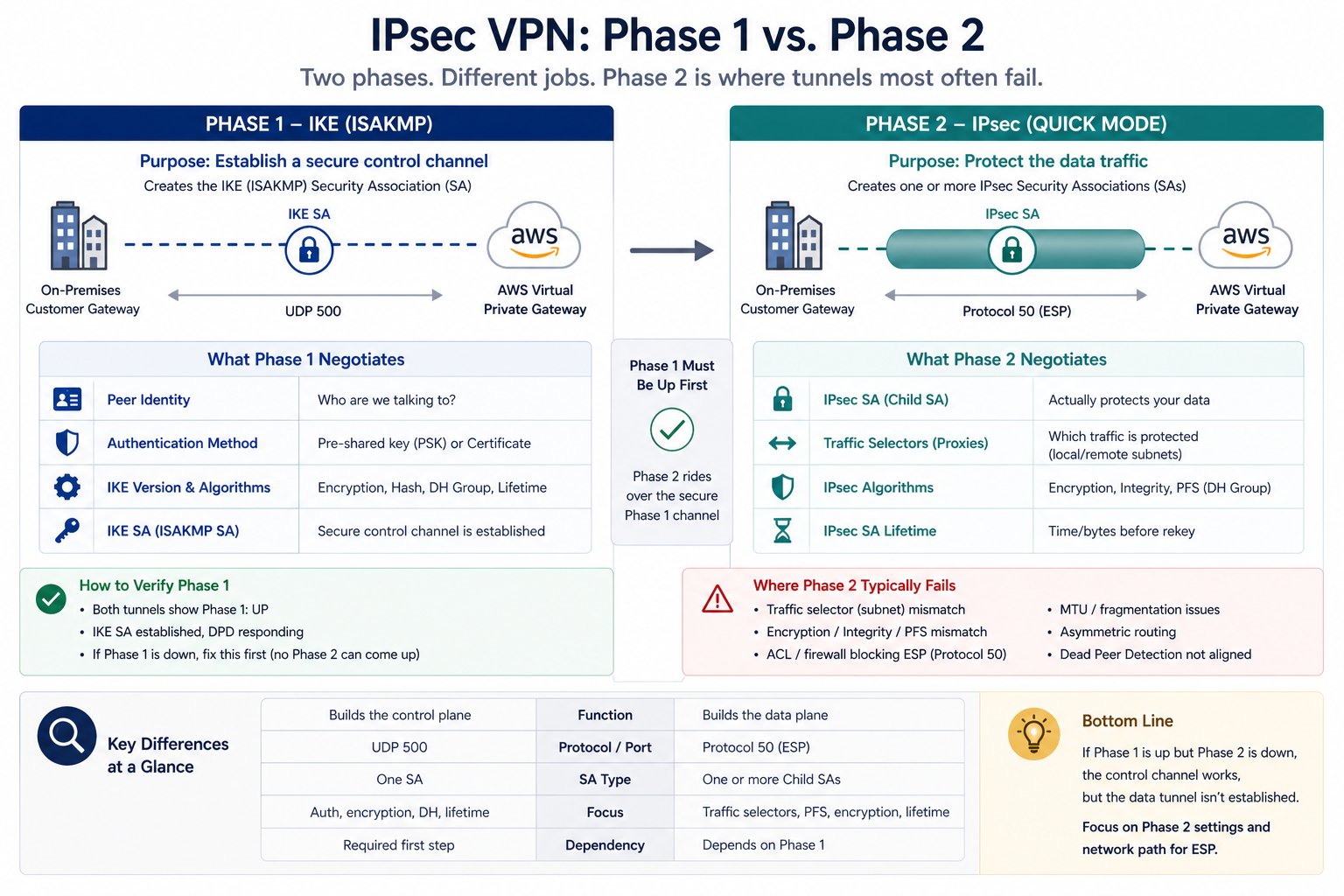
IPsec is a two-phase protocol. Phase 1 (IKE_SA_INIT and IKE_AUTH in IKEv2) authenticates the two endpoints and establishes a secure channel. Phase 2 (CREATE_CHILD_SA in IKEv2) negotiates the IPsec SA that actually encrypts data traffic, including which networks are protected and what encryption algorithms are used. Phase 1 up but Phase 2 down means the auth worked, but the SA negotiation for data traffic failed.
You will see this in the AWS console under VPC → Site-to-Site VPN Connections → Tunnel Details, where the Status shows Phase 2 DOWN. The on-premises VPN gateway logs typically show the rejection reason explicitly (proposal mismatch, no proposal chosen, traffic selector mismatch).
Verified against current AWS Site-to-Site VPN documentation, accessed April 2026.
The four causes, ranked
Cause one, encryption proposal mismatch, around 40 percent
AWS supports a specific set of Phase 2 encryption proposals (AES-128, AES-256, with various integrity algorithms and DH groups). If the on-premises side is configured for an algorithm AWS does not accept, Phase 2 fails immediately.
Verify by comparing the on-premises Phase 2 proposal to the AWS-supported list. AWS publishes the supported algorithms in their VPN documentation. Use one that is on both lists. AES-256 + SHA-256 + DH group 14 is a safe modern default that AWS supports.
Cause two, traffic selector mismatch, around 30 percent
AWS in route-based mode uses a single traffic selector of 0.0.0.0/0 to 0.0.0.0/0. If the on-premises side is configured with policy-based VPN that specifies specific source/destination networks, the negotiation fails because the selectors do not match.
Verify by checking the on-premises VPN config. For AWS, use route-based VPN (with virtual tunnel interfaces) and configure the on-premises side similarly. If you must use policy-based VPN on-premises, configure the policy to match 0.0.0.0/0 to 0.0.0.0/0 for the tunnel.
Cause three, PFS (Perfect Forward Secrecy) group mismatch, around 15 percent
AWS requires PFS for Phase 2 by default. If the on-premises side has PFS disabled or is using a DH group AWS does not accept, Phase 2 fails.
Verify the on-premises PFS configuration. Enable PFS, use DH group 14 or higher to match AWS expectations.
Cause four, BGP not advertising routes, around 15 percent
Phase 2 may show as up briefly then go down, or AWS may report it down because no useful BGP routes are flowing. Check the BGP session under the VPN connection. If BGP is down, Phase 2 status can show degraded even though the IPsec layer technically established.
Verify with show bgp summary on the on-premises side and confirm the BGP session to AWS is established. Routes should be exchanged. Fix the BGP issue (ASN mismatch, missing route advertisement, etc.) and Phase 2 should stabilize.
What the official documentation does not mention
AWS provides a configuration sample download for many vendor gateways but rarely emphasizes that the sample is a starting point, not a finished config. Check the actual AWS-supported algorithms in the current VPN documentation before deploying, since AWS occasionally deprecates older algorithms. The sample config may include settings that work today but will be removed in a future update.
Also, AWS VPN tunnels have two tunnels per VPN connection. If only one is up, the connection is functional but lacks redundancy. Both should be configured and both should be up under normal operations.
The architectural fix
AWS VPNs that rarely fail share four practices. They use route-based VPN end-to-end, not policy-based. They use AWS-recommended encryption algorithms (AES-256, SHA-256, DH 14 or higher, PFS enabled). They use BGP for route exchange rather than static routes, so route changes do not require manual updates. They monitor both tunnels of the VPN connection and alert if either drops. Skip any of these and VPN reliability degrades over time as AWS deprecates older settings or as on-premises networks evolve.
FAQ
Should I switch to AWS Direct Connect to avoid this?
Direct Connect is a different product (private connectivity), not a fix for VPN issues. Pick based on bandwidth, latency, and cost requirements, not specifically to avoid Phase 2 troubleshooting.
Is IKEv2 better than IKEv1 for AWS?
Yes, AWS supports both but IKEv2 is the modern standard with better re-keying behavior. Use IKEv2 unless your on-premises gateway only supports IKEv1.
Will the tunnel re-establish on its own?
If the cause is transient (brief network issue), yes. If the cause is configuration mismatch, no. The tunnel will keep failing until the underlying mismatch is fixed.
Related posts
VPN issues during cloud migration
If you are setting up an AWS VPN as part of a cloud migration and the tunnel will not come up, our cloud networking team can review the on-premises and AWS configuration in parallel and isolate the mismatch quickly. Tell us your on-premises gateway and we will help you align.
Last verified April 2026 by the aaanetworkx cloud networking practice.